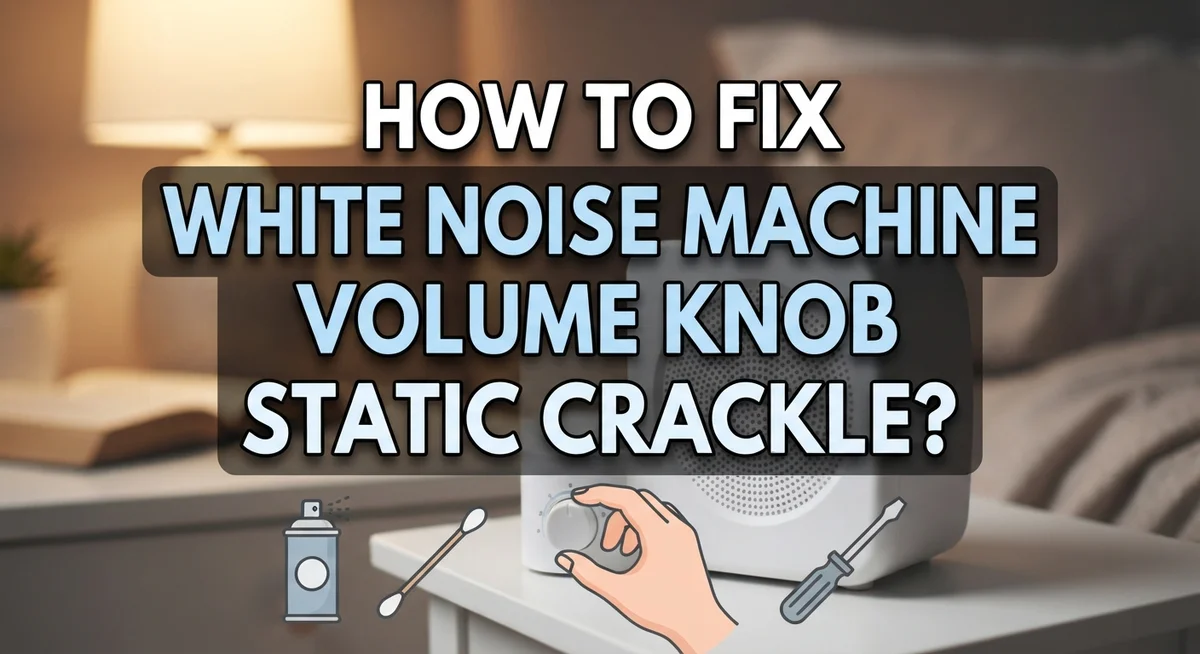
How To Fix White Noise Machine Volume Knob Static Crackle?
Do you hear an annoying static or crackle sound when you turn your white noise machine’s volume knob? You are not alone.
This is a common problem that happens over time. It does not always mean your machine is broken.
The real culprit is usually hiding inside the knob itself. A tiny part called a potentiometer controls the volume. Dust or oxidation can build up on it.
In a Nutshell
- Find the cause first. The static comes from dirty or oxidized contacts inside the knob. This happens naturally with age and dust.
- Turn off the machine. Always power down your device before you start any fix. This step keeps you and the machine safe.
- Clean with the right spray. Use electronic contact cleaner inside the knob cavity. This special spray dissolves the grime causing the crackle.
- Rotate the knob often. Turn it from 0 to 100 and back again. This motion helps spread the cleaner evenly inside.
- Let it dry fully. Never turn on the machine while it is still wet. Patience here prevents further damage to the parts.
- Know when to stop. If crackling continues or you see corrosion, it might be time for professional help. Sometimes the knob itself is simply worn out.
Why Volume Knobs Develop Static and Crackle
Volume knobs develop static and crackle because of what happens inside the mechanism over time. The potentiometer, which is a small component that controls volume levels, has metal contacts that must touch each other to work properly.
Dust and debris accumulate inside the knob cavity. Every time you turn the knob, tiny particles enter the space around the contacts. These particles settle on the metal surfaces and create a barrier between them. When contacts do not touch cleanly, electricity cannot flow smoothly, and you hear that scratchy sound.
Oxidation is another major culprit. Metal contacts naturally rust or oxidize when exposed to air and moisture. This oxidized layer acts like an insulator, preventing proper electrical connection. The longer your machine sits, the more oxidation can build up on those contacts.
Humidity speeds up this process significantly. If your white noise machine sits in a bathroom or damp bedroom, moisture accelerates both dust accumulation and oxidation. The combination creates the perfect storm for crackling sounds.
Frequent knob adjustments can also wear down the protective coating on contacts. Each turn exposes fresh metal surfaces to air, which then begins to oxidize. People who constantly fiddle with their volume knob often experience this problem sooner than others.
Age plays a role too. Older machines have had more time for debris and oxidation to build up. Even if you rarely touch the knob, time itself causes these materials to accumulate inside.
The good news is that this problem sits entirely on the surface of those contacts. You do not have internal component failure or broken wires. The static and crackle happen because the contacts simply need cleaning. Understanding this cause helps you feel confident about tackling the fix yourself with basic tools and a little patience.
Tools and Supplies You’ll Need Before Starting
Before you start fixing your white noise machine, gather the right supplies. Having everything ready makes the job faster and prevents mistakes.
The most important item is electronic contact cleaner. This spray is specifically made to clean electrical contacts without damaging them. Do not use regular lubricants, WD40, or household cleaners. These can leave residue or harm the internal components.
You will also need a small brush or soft cloth. A clean toothbrush works well for this purpose. Use it to gently remove any loose dust around the knob area before spraying. This step prevents debris from getting pushed deeper inside.
Grab a dry cloth or paper towels. You need these to wipe away excess cleaner and let the knob dry completely. Keep several on hand because the drying process takes time.
A flashlight or headlamp is helpful too. You want to see inside the knob cavity clearly. Good lighting lets you spot any visible corrosion or damage before you start cleaning.
Consider having a small container nearby. This catches any drips from the contact cleaner spray. Protecting your furniture or the surface below the machine is always smart.
Power off your device and unplug it before gathering supplies. This keeps you safe during the entire process. Never work on a plugged in machine.
Optional but useful items include cotton swabs for reaching tight spots and a small screwdriver if your machine requires knob removal. Check your manual first to see if the knob comes off easily.
Most people already have these items at home. If you do not have electronic contact cleaner, that is the only thing worth purchasing. Everything else is standard household supplies.
Once you have your supplies ready, you can move forward with confidence. The actual cleaning process becomes much simpler when you are prepared.
Step-by-Step: Cleaning the Potentiometer Contacts
Now that you have your supplies ready, it’s time to clean those potentiometer contacts. This is where the real fix happens.
Start by locating the volume knob on your white noise machine. You need to access the cavity where the knob connects to the internal mechanism. Gently pull or unscrew the knob, depending on your machine’s design. Some knobs slide off easily, while others require a slight twist. Take your time here to avoid breaking the plastic.
Once the knob is removed, you’ll see the shaft and the cavity underneath. This is where dust and oxidized material collect. Shine your flashlight into this opening to see what you’re working with. You may notice a dark residue or discoloration on the metal contacts.
Spray a small amount of electronic contact cleaner directly into the cavity. Don’t oversaturate it. A brief burst is all you need. The cleaner will penetrate the contact surfaces and dissolve the oxidized layer. Let it sit for about 30 seconds to work effectively.
Now reattach the knob and rotate it back and forth slowly. Turn it from minimum to maximum volume repeatedly for about two minutes. This action distributes the cleaner across all contact points. You’ll feel the knob moving more freely as the cleaner works.
Repeat the spray and rotation process one more time for stubborn buildup. After the second round, rotate the knob another 50 times without spraying. This final rotation helps dry out any remaining moisture.
Leave the machine unplugged and sitting upright for at least 30 minutes. This drying time is critical. The cleaner needs to evaporate completely before you power on the device again. Moisture and electricity don’t mix, so patience here prevents damage.
After the drying period, plug in your machine and test the volume knob. Adjust it slowly through its full range. The static and crackle should be gone or significantly reduced.
Drying and Testing the Knob After Cleaning
After you’ve cleaned your volume knob, drying it properly is essential. Never rush this step. Moisture left inside the cavity can cause the static and crackle to return quickly.
Let your white noise machine sit unplugged for at least 30 to 45 minutes in a dry location. The electronic contact cleaner needs time to evaporate completely. Placing the machine upright helps any remaining liquid drain away from the potentiometer contacts.
You can speed up the drying process slightly by positioning your machine in a warm room. Avoid direct sunlight or heat sources like radiators. Those can damage internal components. Simple room temperature air circulation works best.
While waiting, resist the urge to rotate the knob. Moving it while the contacts are still wet can reintroduce the crackle problem. Patience here prevents frustration later.
Once the drying time has passed, plug your machine back in. Turn the volume knob slowly from the lowest setting all the way to the highest. Listen carefully for any remaining static or crackling sounds. The audio should be smooth and clean now.
Test the knob multiple times by adjusting the volume up and down. Pay attention to whether the static appears at specific volume levels or throughout the entire range. This tells you if the cleaning worked completely.
If you still hear crackling after the knob has fully dried, the problem may run deeper than surface contact oxidation. Repeat the cleaning process one more time if needed. Some machines require a second treatment for stubborn buildup.
For future prevention, rotate your volume knob gently every few weeks without using contact cleaner. This natural cycling keeps the contacts from accumulating dust and oxidation. It’s a simple habit that extends your machine’s lifespan and keeps sound quality crisp and clear.
Preventing Future Static and Crackle Issues
Static and crackle problems often come back if you don’t take steps to protect your machine. The best approach is prevention rather than repeated repairs.
Start by changing how you use your volume knob. Avoid turning it constantly or making tiny adjustments throughout the day. Each rotation exposes the potentiometer contacts inside to air and moisture. The fewer times you adjust the volume, the longer your contacts stay clean and functional.
Your environment matters more than you might think. Keep your white noise machine in a dry location away from humidity. Bathrooms and kitchens are problematic because moisture gets inside the knob cavity. Bedrooms and living rooms with normal humidity levels work much better. If you live in a very humid climate, consider using a small dehumidifier in the room where you keep your device.
Gentle knob cycling every few weeks helps prevent buildup. Simply rotate the knob slowly from low to high and back down a few times without using any cleaner. This light movement keeps the contacts from becoming stale and oxidized. Think of it like exercising a joint to keep it moving smoothly.
Store your machine properly when you’re not using it. Keep it covered with a cloth to reduce dust exposure. Dust particles can settle inside the knob cavity and mix with moisture to create that crackling sound. A simple fabric cover or even a clean pillowcase works fine.
Pay attention to warning signs early. If you notice the crackle returning, act immediately instead of waiting. A quick knob rotation session might prevent the problem from getting worse. Catching issues early means you won’t need to do a full cleaning as often.
These simple habits keep your white noise machine working smoothly for years without frequent static problems.
Common Mistakes That Make Static Worse
Many people make mistakes while trying to fix static crackle. These errors actually make the problem worse instead of better.
Using the wrong cleaning product tops the list of common mistakes. Standard lubricants, WD40, or household oils create sticky buildup inside your volume knob. These products don’t evaporate like electronic contact cleaner does. They trap dust and debris, which increases crackling over time. Always use electronic contact cleaner specifically designed for electrical components.
Applying too much force during rotation damages the potentiometer inside. People think aggressive turning will shake out debris faster. This actually bends the internal contacts or breaks delicate springs. Rotate your knob gently and steadily instead. Let the cleaner do the work, not your muscle.
Operating the machine while wet from cleaning causes serious problems. Moisture and electricity don’t mix. Running your white noise machine before it fully dries can short circuit the volume control or create worse crackling. Always wait the full drying time before plugging it back in.
Skipping the drying period leads to incomplete cleaning. Some people spray cleaner and immediately rotate the knob, then power on. The cleaner needs time to dissolve oxidation and evaporate completely. Rushing this step means the static returns within days.
Adjusting the knob too frequently without reason speeds up wear. Every rotation creates friction that builds oxidation faster. Only adjust volume when you actually need to change the sound level.
Ignoring environmental factors makes static return quickly. Humidity, dust, and temperature swings all affect your machine. Keep it in a dry location away from direct sunlight and moisture sources.
These mistakes transform a simple 30 minute fix into a recurring headache. Following proper cleaning steps and avoiding these errors keeps your white noise machine working perfectly.
Troubleshooting When the Crackle Won’t Go Away
When the crackle won’t disappear even after your first cleaning attempt, you need a different approach. The static you’re hearing means the potentiometer contacts inside your volume knob still have oxidation or debris buildup that requires more aggressive treatment.
Start by repeating the mechanical rotation method. Power off your machine completely and rotate the knob from minimum to maximum volume at least 15 to 20 times. This action helps dislodge particles stuck between the internal contacts. Sometimes a second round of this simple step solves stubborn crackling without any chemicals.
If mechanical rotation doesn’t work, apply electronic contact cleaner again. Spray a small amount directly into the knob cavity while rotating slowly. Let the cleaner penetrate the mechanism for two to three minutes. Then rotate the knob rapidly back and forth for 30 seconds to distribute the cleaner thoroughly throughout the potentiometer contacts.
The key difference is patience. Allow your machine to dry for a full hour this time instead of the standard 30 to 45 minutes. Moisture trapped inside the knob mechanism causes crackling to return quickly. Place your machine in a warm, dry room with good air circulation.
After drying completely, test the knob again by adjusting volume multiple times. Listen carefully for any remaining static sounds.
If crackle persists after this second cleaning treatment, the problem likely involves internal component damage. The potentiometer itself may be worn out or corroded beyond surface cleaning. At this point, you should consider professional repair or replacement of the volume knob assembly.
Don’t keep applying contact cleaner repeatedly. Multiple applications waste product and risk liquid damage to surrounding electronics. One thorough cleaning with proper drying time should resolve most persistent crackling issues. If it doesn’t work, the damage goes deeper than surface oxidation.
Final Thoughts
Fixing a static or crackling volume knob is easier than most people think. In most cases, the problem comes from dirty or oxidized contacts inside the potentiometer.
A simple cleaning with electronic contact cleaner solves this issue for most machines. Rotating the knob repeatedly helps spread the cleaner and clear away buildup.
Patience makes a real difference here. Rushing the drying process or skipping steps often leads to repeat problems.
Regular maintenance keeps your white noise machine running smoothly for a long time. A few minutes of care each month can save you hours of troubleshooting later.
Remember that not every crackle means your machine is broken. Sometimes it just needs a little attention and the right cleaning approach.
If you’ve tried cleaning twice and the static remains, the issue likely goes beyond simple dirt buildup. Internal damage to the potentiometer itself may be the real cause at that point.
Trying to force a fix at this stage rarely helps. It can actually cause more harm to the internal components.
Contacting a repair professional makes sense when problems persist. They have tools and experience to diagnose issues you can’t see from outside the machine.
Sometimes replacing the unit becomes the smarter choice. This is especially true if your machine is older or the crackle keeps returning despite your best efforts.
Weigh the cost of repair against a replacement before deciding your next step. Older machines with persistent issues may not be worth extensive repair work.
Overall, most volume knob static problems have simple solutions. A little cleaning, patience, and care solve the majority of cases people experience.
Knowing when to stop troubleshooting and seek help is just as important as knowing how to fix things yourself. This balance keeps your machine safe and your effort worthwhile.
Trust your judgment, follow these steps, and your white noise machine should serve you well for years to come.
Frequently Asked Questions
Why does my volume knob make crackling sounds?
The crackling noise comes from dirty or oxidized contacts inside your volume knob. Over time, dust and moisture build up on the potentiometer contacts. These contacts control the electrical signal for volume changes. When they get dirty, the signal becomes interrupted. This interruption creates the crackling sound you hear.
The good news is this problem is fixable. It does not mean your machine is broken. Most machines develop this issue eventually with regular use.
Can I fix the crackle myself at home?
Yes, you can fix this yourself in about 30 to 45 minutes. Start by powering off your machine completely. Then rotate the volume knob from zero to maximum to zero multiple times. This mechanical action helps loosen trapped debris.
Next, use electronic contact cleaner. Spray a small amount into the knob cavity. Rotate the knob repeatedly to distribute the cleaner. Let your machine dry completely before turning it back on. Test the volume knob after drying to see if the crackle is gone.
What should I avoid when cleaning the knob?
Do not use regular lubricants or oils. These products damage electronic components. Only use electronic contact cleaner made for this purpose.
Never operate your machine while it is wet from cleaning. This causes serious internal damage. Always allow the full drying time before powering on again.
Avoid rotating the knob with excessive force. Gentle, steady rotation works best. Too much pressure damages the potentiometer inside.
When should I call a professional?
If the crackle returns after two cleaning attempts, internal damage may have occurred. Do not keep applying contact cleaner repeatedly. This wastes product and risks liquid damage to surrounding parts.
A repair professional can inspect the internal components. Sometimes replacement becomes the better option than repeated repairs.

Hi, I’m Sonny Dawson, the creator and voice behind ConvertResizeGen. 👋 I’m a passionate tech enthusiast who loves exploring the latest gadgets, devices, and electronics that shape the way we live and work. Through my website, I share honest, hands-on reviews of trending Amazon products to help you make smarter buying decisions.