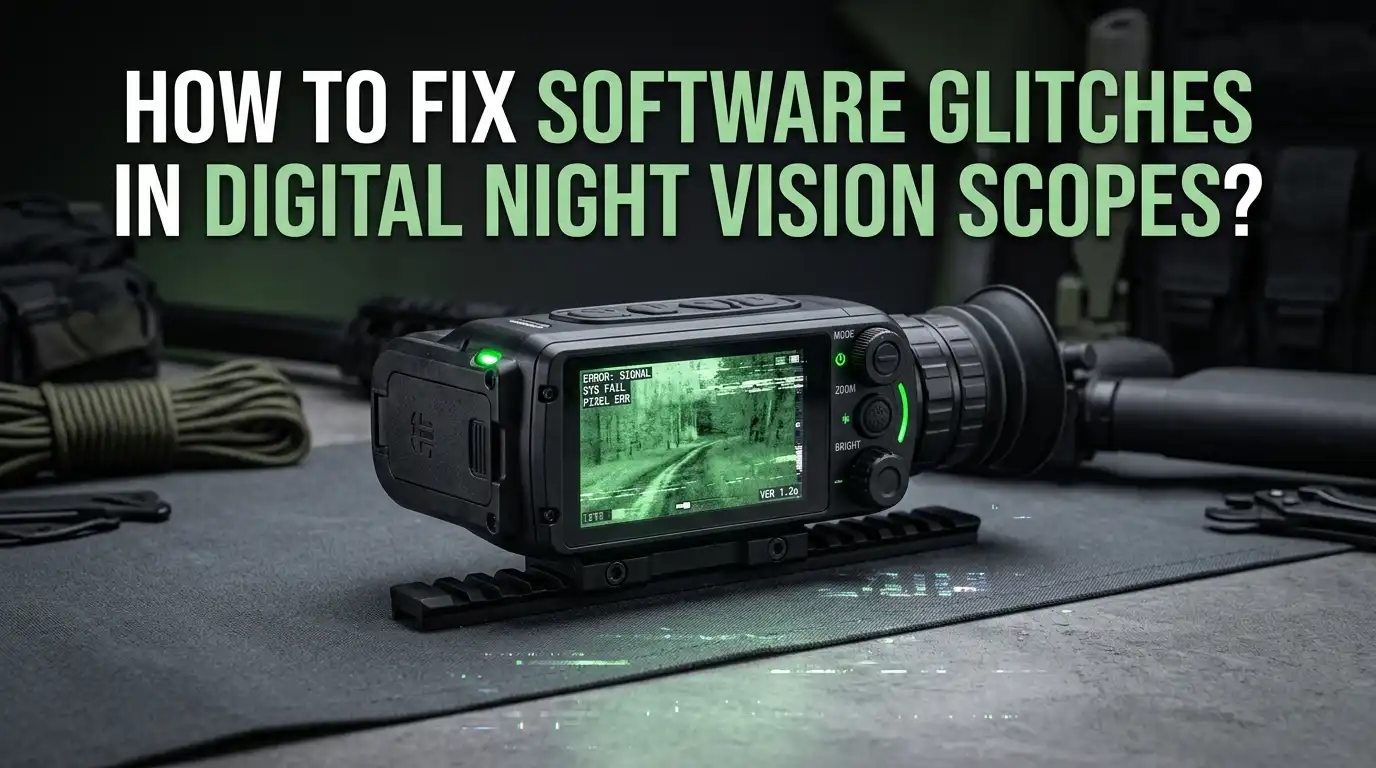
How To Fix Software Glitches In Digital Night Vision Scopes?
Digital night vision scopes are amazing tools for hunters, wildlife watchers, and security users. But they can act up at the worst moments. A frozen screen, a glitchy reticle, or a scope that refuses to connect to your phone can ruin a whole evening outdoors.
The good news is that most software glitches in modern digital night vision scopes are fixable at home. You do not need to ship the unit back or pay for repairs in most cases.
With a few simple steps, you can bring your scope back to life and keep hunting or scanning the dark.
Key Takeaways
- A hard reset solves most freezes. Holding the power button for around 30 seconds forces the scope to shut down and restart. This single trick fixes blank screens, frozen menus, and unresponsive buttons on many ATN and similar smart scopes.
- Firmware updates fix hidden bugs. Brands push regular firmware files that patch reticle drift, app crashes, recording errors, and Wi Fi dropouts. Keeping your scope updated stops glitches before they start.
- The SD card is often the real problem. Many freezes, recording errors, and reboot loops come from a bad or wrong format SD card. Reformatting the card inside the scope or replacing it fixes a huge share of issues.
- Cold and weak batteries cause fake software bugs. Low voltage makes the scope behave like it has a glitch. Fresh lithium batteries or an external pack solve more problems than people expect.
- Apps need their own care. Stream Vision, ATN Connect, and other companion apps must match the scope firmware. Reinstalling the app and pairing again fixes most connection failures.
- A factory restore is your last home option. When nothing else works, a full factory firmware reload through USB usually saves the scope before warranty service is needed.
Why Digital Night Vision Scopes Get Software Glitches
Modern digital night vision scopes are tiny computers strapped to your rifle. They run an operating system, drivers, sensors, Wi Fi modules, and apps. Any one of these parts can fail and cause a glitch.
Common triggers include interrupted firmware updates, corrupted SD cards, dead button cells inside the unit, and low main battery voltage. Recoil shock and cold weather also stress the electronics in ways that show up as software bugs.
Sometimes the bug is real code from the factory. Brands like ATN, Pulsar, and Sightmark release patches because users report freezes and crashes. Knowing the cause helps you pick the right fix instead of guessing. The sections below show you how to spot each cause and clear it fast.
Start With A Hard Reset Before Anything Else
A hard reset is the first move for any frozen scope. It is simple, safe, and works on most digital night vision optics on the market today.
To do it, hold the power button for about 30 seconds without releasing. The screen will go black, and the scope will reboot on its own. For ATN X Sight and ThOR units, this is the official fix listed in the manual.
Pros of a hard reset include speed, no tools needed, and zero risk to your saved profiles in most cases. The cons are that it does not fix deeper firmware bugs and may need to be repeated if the root cause is a bad SD card or low battery.
If the scope reboots and then freezes again within minutes, the problem is not just a one time hang. Move on to the next steps in this guide.
Check Your Batteries Before Blaming The Software
Many users chase software fixes when the real issue is power. Digital scopes draw a lot of current, and a weak battery can cause freezes, screen flicker, dim displays, and failed boot ups.
Pull the batteries and test them with a voltmeter or simply swap in a fresh set. Use the battery type listed in your manual. For many models that means lithium CR123A cells or high quality rechargeable 18650 packs. Alkaline cells often drop voltage too fast and cause fake glitches.
Pros of checking power first: it is free, fast, and fixes a huge share of complaints. The cons are minor. You may waste a fresh set of batteries if the issue turns out to be firmware. Still, this step saves hours of pointless troubleshooting and should always come early.
Update The Firmware To The Latest Version
Firmware is the core software of your scope. Brands release new versions to patch freezes, improve image quality, fix reticle drift, and add features. Running old firmware leaves you stuck with known bugs.
Visit the official brand website. ATN, Pulsar, Sightmark, and DNT Optics all host firmware files for free. Download the file that matches your exact model and follow the on screen guide. Most updates take five to ten minutes through USB or the brand app.
Pros: firmware updates fix bugs you cannot fix any other way and often improve performance. Cons: an interrupted update can brick the scope, and updates sometimes erase your zero settings and saved profiles. Always charge the scope fully, back up your zero, and never unplug the cable until the unit reboots on its own.
Reformat Or Replace The SD Card
A bad SD card is the hidden cause behind many so called software glitches. Symptoms include random reboots, failed video recording, frozen menus when opening the gallery, and slow response.
Power off the scope and remove the card. Try a known good card of the right class and capacity. Most digital scopes need Class 10 or U3 cards and a size between 16GB and 128GB. Avoid no name brands.
Format the new card inside the scope, not on your computer. Use the built in format option in the menu. This sets the correct file system for your model.
Pros: fixing the SD card is cheap and solves many issues at once. Cons: you will lose any recorded video on the card, so copy files to your computer first if you want to keep them.
Reinstall And Update The Companion App
Most smart scopes pair with a phone app like Stream Vision 2 for Pulsar or ATN Connect for ATN. When the app crashes or refuses to connect, it feels like the scope is broken, but usually it is the app.
Delete the app from your phone. Restart the phone. Install the latest version from the official app store. Make sure your phone operating system is also up to date because old phones often fail to keep a stable Wi Fi link.
Pros: reinstalling the app is quick and free. It clears bad cache files and broken pairings. Cons: you may need to set up your profile again and re enter Wi Fi passwords. Some older phones may not support the newest app version, so check the app store listing for supported devices before you upgrade.
Fix Wi Fi And Bluetooth Connection Problems
Wi Fi dropouts are common on digital scopes. The scope creates its own hotspot, and your phone must join it. If the link keeps failing, the fix is usually on the phone side.
Forget the scope network in your phone Wi Fi settings. Toggle airplane mode on and off. Move away from other Wi Fi routers and crowded 2.4 GHz signals. Cell towers, microwaves, and even LED lights can jam the link.
Reboot the scope, then pair fresh. Enter the Wi Fi password slowly and carefully. Pros: this method works most of the time and needs no tools. Cons: range is limited to a few meters on most scopes, so do not expect long distance streaming. If the issue continues, a firmware update on both the scope and the app usually clears it.
Recalibrate The Reticle And Zero Settings
Sometimes the glitch shows up as a drifting reticle or a zero that will not hold. This often happens after a firmware update, a hard reset, or a heavy recoil session.
Open the zeroing menu and clear the old profile. Set a fresh zero at your normal range using a stable rest. For smart scopes with ballistic calculators, re enter your ammo data, scope height, and environment values. Save the profile under a clear name.
Pros: a clean zero removes ghost data left from old firmware and gives you trustworthy hits. Cons: you need range time and ammo to do it right. Some users skip this step and end up blaming the scope when the real fix is a fresh calibration. Always re zero after any major software change.
Clear Stuck Recording And Storage Errors
Recording errors can lock up the entire scope. The video file stays open in memory, and the unit refuses to do anything else. This shows up as a frozen REC icon or a spinning wheel.
Power the scope off using a long press. Remove the SD card and check it on a computer for corrupt files. Delete partial videos. Run a disk check tool on Windows or First Aid on Mac to repair the card.
Put the card back in and let the scope reformat it if asked. Pros: this clears the bug without losing your zero or settings. Cons: you may lose the unsaved video clip from the moment of the crash. Going forward, stop recording before powering down and use short clip lengths to avoid huge files that strain the card.
Deal With Cold Weather Software Lockups
Cold weather is brutal on digital scopes. Below freezing, batteries lose voltage, screens slow down, and the firmware can hang. People often think the software is broken, but the cause is temperature.
Use fresh lithium batteries because they handle cold far better than alkaline or standard rechargeables. Keep a spare battery pack in an inside pocket close to your body heat. An external USB power bank tucked in a warm pocket also works.
Add foam insulation around the battery tube if your model allows it. Pros: this prevents most cold related glitches and adds runtime. Cons: external packs add weight and cables that can snag on gear. Still, in winter hunts, the trade off is worth it. Warm batteries equal a stable scope.
Perform A Factory Restore Through USB
When nothing else works, a factory firmware restore is the last home option. This wipes the scope and reloads the original software from scratch. ATN, Sightmark, and Pulsar all offer this through their support pages.
Download the factory restore file for your exact model. Connect the scope to your computer with the supplied USB cable. Follow the steps in the official guide, which usually means putting the scope into a recovery mode and copying files over.
Pros: a factory restore fixes deep bugs that no other step can touch. It often saves scopes that seem dead. Cons: you lose every saved profile, zero, and video. The process can take 20 to 40 minutes, and a power loss during the restore can brick the unit. Always plug in a full battery first.
Know When To Contact Manufacturer Support
Some glitches are not software at all. They are hardware faults dressed up as bugs. If the screen has lines, the sensor shows dead pixels, or the scope refuses to power on after a factory restore, you need the maker.
Gather your serial number, purchase date, firmware version, and a short video of the issue. Email or call the support team. ATN, Pulsar, and Sightmark all offer warranty service, and many cover digital scopes for two to three years.
Pros: a real technician can fix board level issues you cannot touch at home. Cons: shipping the scope takes one to four weeks, and out of warranty repairs can be costly. Still, this is better than living with a broken optic. Do not let pride keep you from making the call when home fixes run out.
Prevent Future Software Glitches With Simple Habits
Prevention beats repair every time. A few easy habits keep your digital night vision scope running smooth for years.
Power down the scope properly instead of pulling batteries while it is on. Always eject the SD card from the menu before removing it. Update firmware once or twice a year, not in the middle of hunting season. Back up your zero profile through the app when possible.
Store the scope in a dry case with a silica pack. Pull batteries during long storage to avoid leaks. Pros: these habits cost nothing and add years of trouble free use. Cons: they take a small amount of time and discipline, but the payoff is huge. A well cared for digital scope rarely glitches at all.
Frequently Asked Questions
Why does my digital night vision scope keep freezing?
Most freezes come from low battery voltage, a corrupt SD card, or outdated firmware. Start with a hard reset by holding the power button for 30 seconds. Then swap in fresh lithium batteries and try a different SD card before assuming the scope is broken.
Can I damage my scope by updating the firmware?
Yes, but only if the update is interrupted. Charge the scope fully, use the cable that came with it, and never unplug or power off during the update. If you follow the official guide step by step, the risk is very low and the benefits are large.
How often should I update my night vision scope firmware?
Check for updates once or twice a year, or before a big hunt. Brands like ATN and Pulsar push patches a few times each year. Do not update right before going into the field, because you may need time to re zero and test the new software first.
What SD card works best in digital night vision scopes?
Use a name brand Class 10 or U3 card between 16GB and 128GB. Check your manual for the exact maximum size. Format the card inside the scope, never on a computer, so the file system matches what the scope expects.
Will a factory reset erase my zero settings?
A simple hard reset usually keeps your zero. A full factory firmware restore through USB erases everything, including profiles, zeros, and videos. Back up your settings in the brand app first if your model supports cloud profiles.
Why does my scope app keep disconnecting from the scope?
App disconnects usually come from outdated app versions, weak phone Wi Fi, or interference from other networks. Reinstall the app, update your phone operating system, and move away from busy Wi Fi areas. A scope firmware update often clears stubborn app bugs too.

Hi, I’m Sonny Dawson, the creator and voice behind ConvertResizeGen. 👋 I’m a passionate tech enthusiast who loves exploring the latest gadgets, devices, and electronics that shape the way we live and work. Through my website, I share honest, hands-on reviews of trending Amazon products to help you make smarter buying decisions.