
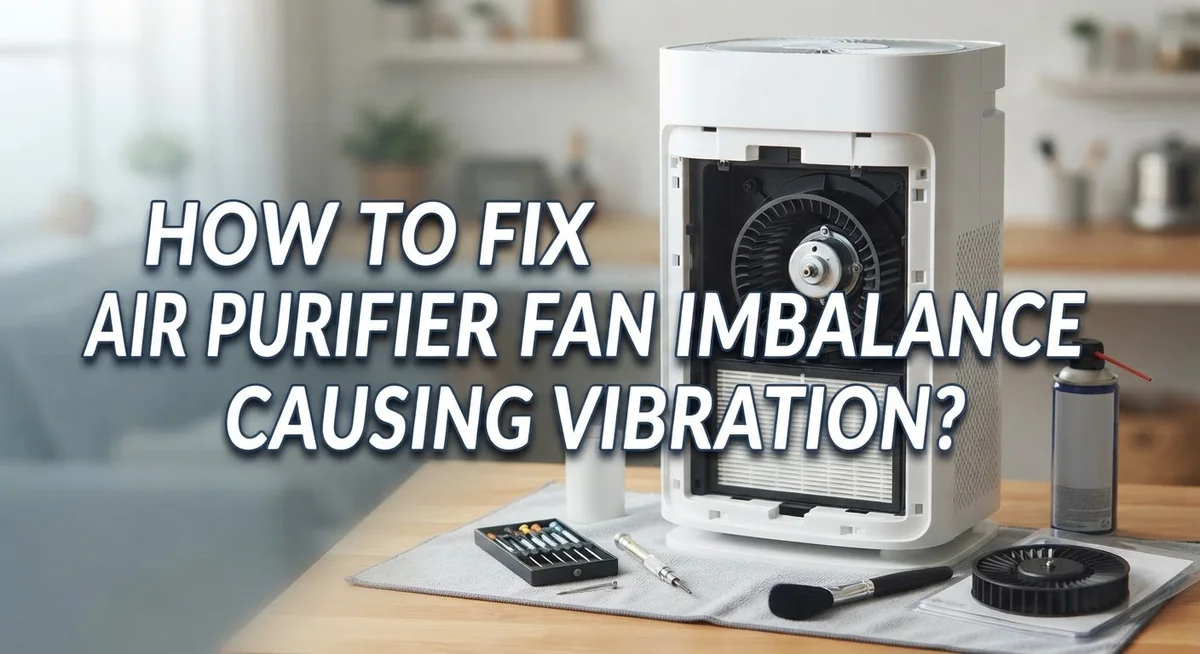
How To Fix Air Purifier Fan Imbalance Causing Vibration?
Does your air purifier suddenly sound like it’s about to take off? That annoying buzz or shake often points to fan imbalance. It is a common problem, but it is also fixable.
Vibration usually means something inside your unit is off balance. Dirty blades, loose screws, or an uneven surface can all be the culprit. Sometimes airflow blockages make things worse too.
The good news? You do not need to be a repair expert to solve this. With a few simple checks, you can pinpoint the issue fast.
This guide walks you through every step. You will learn how to inspect your fan blades for dirt or damage. We will also cover tightening loose parts and cleaning filters properly.
In a Nutshell
- Check the fan blades first. Dirt, dust, or damage can throw off the balance fast. A quick clean often solves the problem right away.
- Tighten every loose screw. Motor and fan assembly bolts shake loose over time. This causes rattling even when blades are perfectly fine.
- Look at where you placed the unit. An uneven floor or wobbly table can create vibration that has nothing to do with the machine itself. A flat, stable surface fixes this instantly.
- Clean the filter and inlet area. Blocked airflow forces the fan to work harder and shake more. Regular cleaning keeps things running smoothly.
- Use a stabilizing pad if needed. This absorbs small vibrations that basic fixes cannot solve. It is a simple, low cost trick.
- Inspect blade clearance. Blades that touch the housing create noise and imbalance. Proper spacing keeps everything spinning freely.
What Causes Fan Imbalance and Vibration in Air Purifiers
Fan imbalance happens when the rotating blades inside your air purifier do not spin evenly around their center point. This uneven rotation creates vibration that travels through the entire unit.
Dirty or damaged blades are the most common culprit. Dust and debris settle on the fan surfaces over weeks of use. When blades carry uneven weight, they wobble like a spinning plate that is off center. Even small damage like a bent tip or crack throws off the balance immediately.
Loose fasteners cause major problems too. The motor and fan assembly have multiple bolts and screws that hold everything in place. Vibration itself loosens these fasteners over time, which then causes more vibration. It becomes a cycle that gets worse if you ignore it.
Poor placement matters more than many people realize. An air purifier sitting on an uneven floor or wobbly table amplifies any internal vibration. The unit rocks back and forth instead of staying stable. Even a perfectly balanced fan will seem to vibrate badly on the wrong surface.
Airflow blockages force your fan to work harder than normal. When the inlet is clogged or ducts are restricted, the motor strains to push air through. This extra effort creates vibration and noise that feel worse than they actually are.
Blade clearance issues happen when parts shift over time. If fan blades start touching the housing or frame, you get constant rattling and scraping sounds. This friction adds vibration to every rotation.
Understanding these causes helps you fix the problem faster. Most vibration issues stem from one or more of these factors working together. The good news is that each cause has a straightforward solution you can handle yourself without special tools or expertise.
Signs Your Air Purifier Has a Fan Imbalance Problem
Your air purifier tells you when something is wrong. Listen for these warning signs.
A loud buzzing or humming sound that gets worse over time points to fan imbalance. The noise may start soft but grow louder as weeks pass. If your unit sounds different than when you first bought it, investigate right away.
Visible vibration is the clearest sign. Place your hand near the unit while it runs. Do you feel shaking or trembling? Does the whole machine move across the surface? This means the fan blades are spinning unevenly.
Check if the unit rattles or makes clicking sounds. These noises suggest loose parts inside. The motor assembly or fan housing may have screws that came undone. Clicking often happens when blades come close to the housing during rotation.
Pay attention to vibration that gets stronger at certain fan speeds. Some units have multiple speed settings. If shaking only happens on high speed, the imbalance becomes more obvious when the fan spins faster. Low speed may mask the problem.
Notice if the unit moves around on your surface. A balanced air purifier should stay still. If it creeps or slides during operation, the vibration is significant enough to move the entire machine. This means the problem needs immediate attention.
Smell or performance changes also matter. A struggling fan works harder and may overheat. You might notice a burning smell or reduced airflow output. The unit may not clean your air as well as before.
Feel the air coming out of the outlet. Uneven airflow suggests the fan is not spinning properly. Some spots may have strong airflow while others feel weak.
Do not ignore these signs. Early action prevents damage to your motor and other internal parts. Stop using the unit if vibration becomes severe, and address the issue before operating it again.
Step-by-Step Guide to Diagnosing the Vibration Source
Start by unplugging your air purifier completely. This is the most important safety step. Never work on a running device.
Next, locate the fan assembly inside your unit. Most air purifiers have easy access panels or removable covers. Check your manual if you are unsure where to look. Take photos before you open anything so you remember how to put it back together.
Examine the fan blades carefully under good lighting. Look for dust, pet hair, or visible damage like cracks or bent edges. Even small debris can throw off balance. Gently wipe the blades with a soft cloth if they are dirty. Do not use water unless your manual says it is safe.
Move to the motor and fan assembly screws. Use an appropriate wrench or screwdriver to check every bolt and fastener. Turn each one slightly to see if it moves. Loose screws are a major cause of vibration. Tighten them firmly but do not overtighten, as this can strip threads or crack plastic components.
Inspect the area where the fan blade spins inside the housing. Measure the clearance between blade tips and the surrounding walls. Blades should have even space all around. If clearance looks uneven, the housing might be cracked or the motor might be misaligned.
Check your air filter and inlet opening next. A clogged filter forces the fan to work harder and vibrate more. Hold the filter up to light to see if air passes through easily. Clear any blockages around the inlet area.
Finally, look at where the unit sits. Place it on a completely flat, stable surface. Tilt it slightly in different directions to confirm the floor is level. An uneven placement creates vibration that mimics internal problems.
Document what you find. Write down which screws were loose and what you cleaned. This information helps if the vibration returns later.
How To Fix Fan Imbalance and Stop the Vibration
Start by unplugging your air purifier from the wall outlet. This keeps you safe while you work on the internal parts.
Open your unit according to the manufacturer’s instructions. Most air purifiers have a front panel or side cover that comes off easily. Look for clips or screws holding it in place.
Locate the fan blades and inspect them carefully. Dust and debris stick to the blades over time. Use a soft brush or cloth to gently clean each blade. Look for cracks, bends, or chips in the blade material. Damaged blades cannot spin evenly, so replacement may be necessary if you find serious damage.
Check every screw on the motor and fan assembly next. Vibration loosens fasteners gradually. Use the appropriate screwdriver to tighten all visible screws. Do not over tighten, as this can strip threads or crack plastic parts. A snug fit is all you need.
Examine the space between your fan blades and the housing walls. Blades should have even clearance on all sides. If blades touch the housing, the unit will vibrate and make noise. Gently move the fan blade by hand to feel for any rubbing or resistance.
Check your air filter for excessive dirt buildup. A clogged filter restricts airflow and forces the fan to work harder. Replace or clean your filter according to your unit’s guidelines.
Look at where your air purifier sits. An uneven or unstable surface causes vibration to seem worse than it actually is. Place your unit on a flat, level surface away from edges or slopes.
After completing these checks, plug your unit back in and run it at different speed settings. Listen for changes in noise and feel for vibration. Most vibration problems disappear after tightening loose parts and cleaning the fan blades. If vibration persists, the motor itself may need professional service.
Tips for Preventing Future Fan Imbalance Issues
Preventing future fan imbalance issues keeps your air purifier running smoothly for years. Start by establishing a regular cleaning schedule. Clean or replace your air filter every one to three months, depending on your environment. Dirty filters force your fan to work harder and can trigger vibration problems.
Check your unit’s placement monthly. Make sure it sits on a flat, stable surface without wobbles. Uneven floors or wobbly furniture create vibration even when your fan is perfectly balanced. Use a level if you’re unsure about your surface.
Inspect your fan blades every few months for dust accumulation and debris. A quick visual check takes just two minutes. Gently wipe the blades with a soft, dry cloth when you notice dust buildup. Never use water or liquid cleaners on the fan itself.
Tighten all visible screws on your motor and fan assembly twice yearly. Vibration naturally loosens fasteners over time. A simple screwdriver check prevents major problems before they start. Listen for any rattling sounds that might indicate loose parts.
Keep your air intake and outlet openings clear of obstructions. Blocked airflow forces your fan to work unevenly and causes vibration. Remove any furniture, curtains, or objects that block airflow around your unit.
Store your air purifier properly during off seasons. Place it in a dry location away from extreme temperature changes. Temperature swings can warp fan blades or loosen internal components.
Review your manufacturer’s maintenance guide at least once yearly. Different models have specific care requirements. Follow their recommendations for optimal performance.
Consider placing your unit on a vibration absorbing pad if you live in an older building with uneven floors. These pads cost little and help significantly. Simple preventive care saves you money and extends your air purifier’s lifespan considerably.
Common Mistakes to Avoid When Fixing Vibration Problems
Many people make simple mistakes when trying to fix air purifier vibration. These errors can make the problem worse or damage your unit. Learning what to avoid saves you time and money.
Don’t operate your air purifier on uneven surfaces. Uneven floors cause vibration even when your fan is perfectly balanced. Always place your unit on a flat, level surface before running it. Check your floor with a level tool if you’re unsure. Slanted or tilted placement creates unnecessary movement that you’ll feel and hear.
Skipping the blade inspection is a common mistake. Many people tighten screws without looking at the fan blades first. Dirt, dust, or damage on the blades causes imbalance. You must inspect them carefully before assuming loose parts are the problem. Use a flashlight and look closely at each blade.
Ignoring loose fasteners leads to bigger issues. People often focus only on the visible screws. Check every screw on the motor and fan assembly. Loose fasteners vibrate and rattle. This makes your unit shake even if the fan itself is balanced. Tighten everything securely but don’t force screws too hard.
Neglecting filter and inlet cleaning is another frequent mistake. A dirty filter blocks airflow and forces your fan to work harder. This extra strain causes vibration and noise. Clean your filter regularly and check your inlet opening for blockages.
Don’t assume the problem is always the fan. Poor placement, dirty filters, or blocked air paths cause vibration too. Take time to check each possibility systematically. Rushing through diagnosis means you might fix the wrong thing.
Finally, avoid operating your unit while you’re still diagnosing. Always unplug it first. Working on a plugged in air purifier is unsafe and prevents proper inspection. Give yourself time to identify the real cause before plugging it back in.
Troubleshooting Persistent Vibration After Repairs
Your air purifier continues vibrating even after you’ve completed repairs? This happens more often than you’d think. The issue usually stems from one of several overlooked factors that need your attention.
Start with a second inspection of your fan blades. Vibration often returns because debris settled back onto the blades during operation. Unplug your unit and look closely at each blade surface. Dust particles concentrate on blade edges and create imbalance during rotation.
Check your motor mounting screws again. Vibration loosens fasteners over time, so what was tight yesterday may be loose today. Go through every screw methodically. Even one loose fastener causes noticeable vibration at higher speed settings.
Examine your placement surface carefully. Many people overlook this simple factor. Your air purifier may sit on a surface that looks flat but has slight imperfections. Run your hand across the floor where your unit sits. Small bumps or uneven spots transmit vibration throughout the entire device.
Verify that your air intake isn’t blocked. Restricted airflow forces your fan to work harder, which increases vibration intensity. Check both your inlet opening and your air filter. A clogged filter makes your fan blade work unevenly.
Consider your operating speed. Some units vibrate more at certain speeds due to resonance. Try running your air purifier at different speed settings. If vibration decreases at lower speeds, your issue may relate to airflow rather than mechanical imbalance.
Place a stabilizing pad under your unit if problems persist. These pads absorb vibration before it transfers to your floor or furniture. This simple solution often resolves remaining vibration issues after you’ve checked all mechanical components.
If vibration continues after these checks, your fan motor itself may need professional evaluation. Persistent problems after repairs sometimes indicate internal motor wear that requires replacement.
Final Thoughts
Fixing a vibrating air purifier does not have to feel complicated. Most problems trace back to a few simple issues. Dirt, loose parts, or a wobbly surface usually explain the noise.
Patience matters during this process. Rushing through steps often leads to missed clues. Take time to check each part before moving to the next.
Vibration analysis can save you effort. It points you toward the exact cause instead of guessing. This makes repairs faster and more accurate.
Small changes often bring big results. A flat surface, clean blades, and tight screws solve most cases. You rarely need advanced tools or skills.
Remember that airflow plays a huge role in smooth operation. Blocked inlets or ducts strain the motor and create shaking. Clear pathways keep your unit running quietly.
If vibration returns, do not feel discouraged. Mechanical parts shift over time, especially with daily use. A quick recheck usually fixes the issue again.
Your air purifier works hard every day. It filters air continuously, so some wear is normal. Treating it with regular care extends its life.
Balance and stability are the two biggest factors behind smooth performance. Keep these in mind whenever new vibration appears. They almost always point you to the right fix.
Trust your senses when troubleshooting. Unusual sounds or shaking signal something worth checking. Early attention prevents bigger problems later.
In the end, fixing fan imbalance comes down to consistency. Simple habits, careful inspection, and quick action keep your unit steady. With this approach, your air purifier can run quietly for a long time.
Frequently Asked Questions
Why is my air purifier making a loud humming noise with vibration?
A loud hum combined with vibration usually points to unbalanced fan blades or loose motor screws. Dirt buildup on the blades creates uneven weight distribution. The motor then works harder to spin the fan, causing the noise and shaking you hear.
Start by unplugging your unit. Open the access panel and look at the fan blades closely. You might see dust clumps or small debris stuck to one side.
Can a dirty air filter cause vibration problems?
Yes, absolutely. A clogged filter restricts airflow into your unit. Your fan must spin faster to pull air through the blockage. This extra effort creates vibration and strain on the motor.
Check your filter first. If it looks gray or brown instead of white, it needs cleaning or replacement. A clean filter makes your fan work smoothly again.
What should I do if vibration returns after I’ve fixed it once?
Vibration often comes back because debris settles on the blades again over time. Inspect your blades a second time. You might also check that your motor mounting screws haven’t loosened.
Also verify your placement surface. An uneven floor or wobbly table can bring vibration back even if your fan is balanced perfectly.
How do I know if the problem is my fan or something else?
Listen carefully to where the sound comes from. If it’s a rattling noise, loose screws are likely the culprit. If it’s a grinding sound, your blades might be damaged.
Check your air intake duct too. A blocked inlet forces your fan to work harder and vibrate more. Clean any obstruction you find.

Hi, I’m Sonny Dawson, the creator and voice behind ConvertResizeGen. 👋 I’m a passionate tech enthusiast who loves exploring the latest gadgets, devices, and electronics that shape the way we live and work. Through my website, I share honest, hands-on reviews of trending Amazon products to help you make smarter buying decisions.