How To Fix Smart Blinds Solar Panel Degrading In Sunlight?
Smart blinds bring a nice mix of comfort and energy savings to your home. They use small solar panels to soak up sunlight and power the motor. But over time, you might notice they don’t charge like they used to.
Sunlight exposure naturally wears down solar panels. Most panels lose about 1% efficiency every year. That means a high quality panel can still work at 80% capacity after two decades.
Still, some blinds degrade faster than they should. Dust, dirt, and poor mounting can speed up this process. The good news is you can often fix or slow down this decline.
In a Nutshell
- Solar panels naturally lose about 1% power each year. This is normal and expected over time.
- High quality panels still perform at 80% capacity even after 20 years of use. This shows good panels hold up well.
- Clean glass surfaces matter a lot. Dust and dirt on the panel or window can speed up degradation and lower output.
- Regular inspection helps you catch problems early. Check your panels often to spot issues before they get worse.
- Proper mounting is key for long term performance. A poorly installed panel wears out faster than one installed the right way.
- If the motor fails, you likely need a full replacement. Small fixes rarely solve motor issues on smart blinds.
- Always weigh repair costs against replacement. Sometimes a new panel saves you money and hassle in the long run.
- Simple care steps like wiping panels and checking mounts can extend your blinds’ life significantly.
Understanding Why Solar Panels Degrade in Sunlight
Solar panels on smart blinds degrade because of how sunlight interacts with their materials. The sun’s ultraviolet rays break down the chemical bonds in the panel’s protective layers over time. This process happens slowly and steadily, which is why annual degradation of about 1% is completely normal.
The main culprit behind faster degradation is exposure to extreme temperature swings. When your blinds sit in direct sunlight all day, they heat up significantly. Then nighttime cooling causes the materials to contract. This constant expansion and contraction puts stress on the panel’s structure and speeds up breakdown.
Moisture also plays a role in panel degradation. Water vapor can seep into small cracks or gaps in the panel’s sealing. Once inside, moisture causes corrosion and reduces the panel’s ability to convert sunlight into electricity. This is especially true in humid climates or areas with frequent rain.
Dust and dirt accumulation creates another problem. When particles settle on the solar panel’s surface, they block sunlight from reaching the photovoltaic cells beneath. The panel then works harder to generate the same amount of power, which increases internal stress and speeds up material breakdown.
Environmental factors like salt spray near coastal areas can accelerate degradation too. Salt particles corrode the panel’s metal components and damage protective coatings. Even air pollution in urban areas contributes to this issue.
The good news is that understanding these causes helps you take action. Most degradation happens naturally and is unavoidable, but you can slow it down significantly. Keeping your panels clean removes dust and debris. Checking the seals around your blinds prevents moisture from entering. These simple steps help your smart blinds maintain their power output for many years to come.
Signs Your Smart Blinds Solar Panel Is Losing Efficiency
Your smart blinds solar panel works hard every day. Over time, you might notice it’s not performing as well as it used to. Catching these signs early makes a real difference.
Reduced charging speed is often the first warning sign. Your blinds take longer to open or close than they did before. The motor seems sluggish even when the sun is bright outside. This happens because the panel generates less electricity to power the motor.
Dimmer LED indicators tell you something is wrong. Most smart blinds have small lights that show power status. If these lights appear weaker or flicker more often, your panel efficiency is dropping. Pay attention to these visual cues on your device.
Inconsistent movement patterns reveal panel problems too. Your blinds might move smoothly one day and stiffly the next. They could fail to respond to sunlight changes the way they used to. This inconsistency points to unstable power generation from a degrading panel.
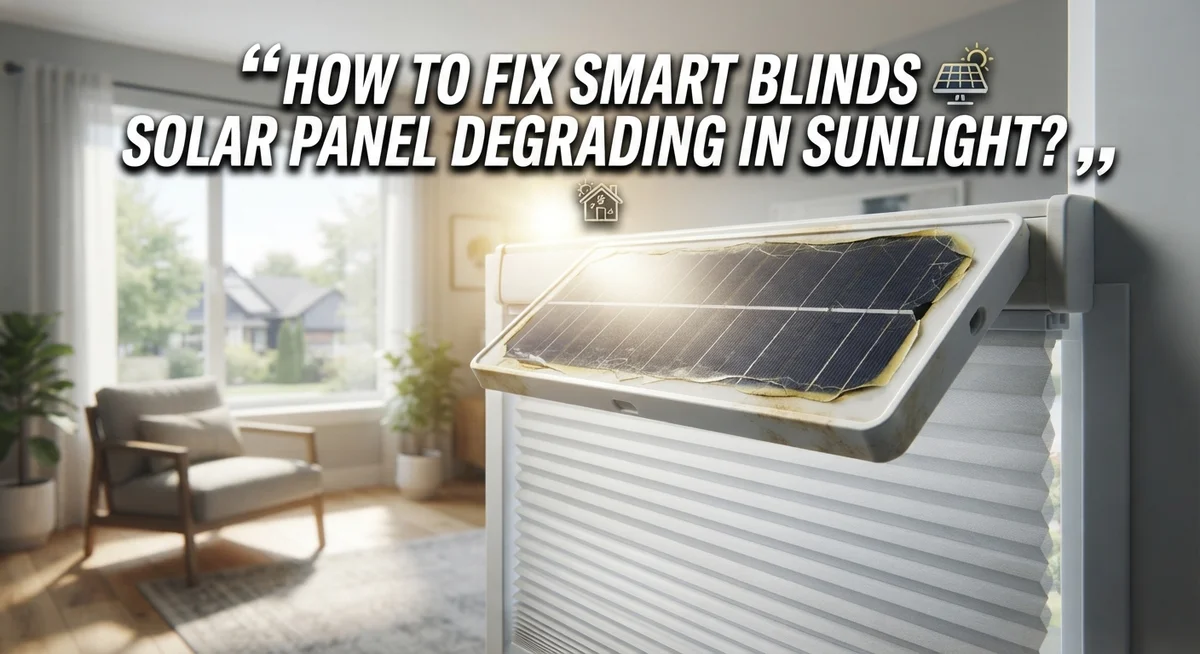
Visible damage on the panel surface requires immediate inspection. Look for discoloration, cracks, or cloudy spots on the glass. Yellowing indicates the protective layers are breaking down. Cracks allow moisture inside, which speeds up further damage.
Battery drain happens faster when the panel can’t charge properly. Your blinds might stop working after just a few days without direct sunlight. A healthy panel keeps the battery topped up consistently throughout the week.
Temperature sensitivity becomes noticeable as panels age. Your blinds work fine on warm days but fail on cold mornings. This suggests the panel’s ability to convert light into power is declining.
Monitor these signs regularly. Check your solar panel monthly during different seasons. Write down what you observe. This simple tracking helps you understand whether degradation is normal or accelerated. Early detection gives you time to plan maintenance or replacement before your blinds stop working completely.
Step-by-Step: Cleaning and Restoring Panel Performance
Cleaning your smart blinds solar panel is the first step toward restoring performance. Start by turning off your blinds and letting them cool completely. This prevents thermal shock when you apply water or cleaning solutions.
Use a soft, dry microfiber cloth to gently wipe the panel surface. Remove dust, pollen, and debris that accumulate over time. These particles block sunlight and reduce energy generation significantly.
For stubborn dirt, apply a mild glass cleaner to your cloth. Never spray liquid directly onto the panel. Wipe in one direction to avoid streaking. Let the surface dry completely before turning the blinds back on.
Inspect the entire panel while cleaning. Look for cracks, discoloration, or cloudy spots. These indicate internal damage that cleaning alone cannot fix. Document any visible problems with photos for future reference.
Check the mounting brackets and connections during your cleaning routine. Loose mounts reduce panel efficiency because they affect sun tracking angles. Tighten any loose fasteners you find. Ensure the panel sits flush against the window frame.
Clean your window glass as well. Dirty windows block sunlight just as much as dirty panels do. Use the same gentle cloth and mild cleaner approach. A clean window surface makes a real difference in charging speed.
Establish a regular cleaning schedule. Monthly cleanings work best in dusty environments. Quarterly cleanings suffice in cleaner areas. Coastal regions need more frequent attention due to salt spray buildup.
After cleaning, monitor your panel’s performance for several days. Watch your LED indicators and charging speed. If performance improves noticeably, degradation was mainly surface level. If performance remains poor after thorough cleaning, internal panel damage likely exists and may require professional evaluation or replacement.
Proper Mounting and Positioning to Reduce Sun-Related Wear
Proper mounting and positioning directly impact how much sun damage your smart blinds solar panel experiences. When you install your panel correctly, you reduce unnecessary stress on the materials and electrical components.
Start by choosing a mounting location that receives consistent sunlight throughout the day. Avoid areas where the panel sits in direct, intense heat for extended periods without any shade relief. Panels that experience constant extreme temperatures degrade faster than those with some temperature variation.
Mount the panel securely to prevent vibration and movement. Loose panels shift in wind and temperature changes, which stresses the connections and accelerates wear. Use the recommended mounting hardware and check that everything is tight. Vibration causes micro fractures in solar cells over time.
Position the panel at an angle that matches your climate. In very hot regions, a slight tilt away from the most intense afternoon sun helps reduce peak temperatures. In cooler areas, a more direct angle captures maximum sunlight. This positioning strategy balances energy generation with thermal stress reduction.
Ensure proper ventilation behind the panel. Air circulation around your solar panel keeps temperatures lower. Blocked airflow traps heat against the panel surface, accelerating degradation. If mounting on a window frame, leave small gaps for air movement.
Check your installation monthly during the first few months. Look for any shifting, loose connections, or signs of stress around the mounting points. Tighten fasteners if needed before they cause problems.
Avoid mounting near heat sources like air conditioning units or reflective surfaces that bounce concentrated sunlight onto the panel. These create hot spots that damage solar cells faster than normal sun exposure.
Position your blinds so the solar panel faces the direction that receives the most consistent, moderate sunlight rather than extreme peak sun. This simple adjustment extends your panel’s useful life significantly while maintaining good charging performance.
Routine Maintenance Practices to Slow Degradation
Regular maintenance is your best defense against solar panel degradation. Smart blinds panels lose about 1% of their efficiency each year, which is normal. You can slow this decline significantly with consistent care.
Clean your solar panel every two weeks during dry seasons. Use a soft microfiber cloth to gently wipe away dust and debris. This simple step prevents dirt from blocking sunlight and reduces heat buildup that accelerates degradation.
Check your window glass weekly. Dirty windows block sunlight just as much as dirty panels do. Wipe your glass with a mild cleaner when needed. Clean windows let more light reach your solar cells.
Inspect your panel’s connections monthly. Loose wires and corroded terminals reduce charging efficiency. Tighten any loose connections you find. Look for white or green corrosion around metal parts. This corrosion blocks electrical flow and speeds up performance loss.
Monitor temperature around your panel. Excessive heat degrades solar cells faster than normal sunlight exposure. Make sure air can flow freely behind and around your panel. Remove any objects blocking ventilation.
Test your smart blinds movement every two weeks. Sluggish or inconsistent movement means your panel isn’t charging properly. This is your early warning sign that cleaning or repairs are needed.
Keep a maintenance log. Write down cleaning dates and any performance changes you notice. This record helps you spot patterns and plan future maintenance.
Replace your panel’s protective cover if it becomes scratched or cloudy. A damaged cover lets moisture inside and speeds up internal corrosion.
Store your smart blinds system indoors during extreme weather. High winds, hail, and heavy snow stress the panel and mounting hardware. Proper storage extends your panel’s working life by years.
These routine practices cost almost nothing but add years to your panel’s useful life. Consistency matters more than complexity when protecting your investment.
Common Mistakes That Accelerate Panel Degradation
Installing your solar panel on a dirty or dusty surface is one of the biggest errors homeowners make. Dust particles trap heat against the panel and reduce light absorption. This combination speeds up degradation significantly.
Skipping the pre installation cleaning step is tempting but costly. Your window glass must be completely clean before you mount anything. Even a thin layer of dust or residue creates a barrier that reduces efficiency.
Neglecting regular maintenance after installation accelerates wear dramatically. Many people install their smart blinds and forget about them. Without consistent cleaning, dirt builds up and causes the panel to work harder. This extra strain shortens its lifespan considerably.
Improper mounting is another critical mistake. Panels that shift or vibrate in wind experience faster degradation. Loose mounting brackets allow movement that stresses internal components. The panel’s connections can loosen over time, creating resistance that generates heat.
Ignoring temperature control around your panel causes serious problems. Solar panels degrade faster when they run hot. Poor ventilation traps heat, pushing temperatures higher than necessary. This heat stress accelerates the chemical breakdown of panel materials.
Using harsh chemicals or abrasive cloths during cleaning damages the protective surface. Scratches and cloudy spots let moisture penetrate the panel. Water inside the panel causes corrosion and electrical failures.
Failing to inspect connections monthly is a silent killer. Corroded terminals and loose wires reduce charging efficiency. Your panel works harder to deliver the same power, which increases degradation.
Postponing repairs when you notice problems compounds damage quickly. A small issue becomes expensive when left unaddressed. Motor failures and connection problems spread to other components if ignored.
The key is treating your solar panel like any important home system. Regular attention prevents small problems from becoming major failures.
Troubleshooting Persistent Power and Charging Issues
When your smart blinds solar panel stops charging properly, the problem usually stems from one of three areas: the panel itself, the charging circuit, or the battery connection.
Start by checking if your panel receives direct sunlight. Shade from trees, buildings, or other obstructions blocks power generation completely. Move your blinds to an open window position and observe if the charging indicator responds within 30 minutes.
Next, inspect the physical connections between your solar panel and the motor unit. Look for loose wires, corrosion on terminals, or bent connectors. Corroded contacts prevent electricity from flowing even when the panel generates power. Gently clean any green or white buildup on metal terminals using a dry cloth.
Test your battery by disconnecting the solar panel for 24 hours, then reconnecting it. If charging resumes, your panel works fine but your battery may need replacement. If nothing changes, the battery likely cannot hold a charge anymore.
Check your window glass for dirt, dust, or film buildup. A cloudy or dusty surface reduces light penetration by up to 25 percent. Clean thoroughly with a dry cloth first, then use mild glass cleaner if needed.
Examine the panel’s protective cover for scratches, cloudiness, or moisture inside. Damaged covers allow water infiltration, which shorts internal circuits. This requires panel replacement since covers cannot be replaced separately.
Monitor ambient temperature around your installation. Panels overheat in enclosed spaces, which reduces charging efficiency. Ensure air flows freely behind and around your panel.
If charging still fails after checking these items, your panel likely has internal degradation beyond repair. Most manufacturers offer replacement options when panels stop functioning within their warranty period. Document your troubleshooting steps with photos for warranty claims.
Final Thoughts
Fixing a degrading solar panel comes down to simple, consistent habits. Clean glass, secure mounting, and regular checks make a real difference.
You cannot stop natural aging completely. Panels lose about 1% capacity each year. That is normal and expected.
A high quality panel still performs at 80% capacity after 20 years. This proves that proper care pays off long term.
Most power problems come from three sources. These are dirt, loose connections, or heat damage. Fix these first before assuming your panel is dead.
Regular maintenance stays your best defense against rapid degradation. A few minutes each week protects your investment for years.
Do not ignore small warning signs. A cloudy cover or weak charge today becomes a bigger failure tomorrow.
If your panel still fails after trying every fix, replacement becomes the practical choice. Motor failures especially often need full replacement rather than repair.
Think of your solar panel like a car battery. It needs attention now and then, but it rewards you with reliable service.
Smart blinds work best when their solar panels get proper care. Clean surfaces, tight connections, and temperature control keep your system running strong.
Small efforts today prevent big problems tomorrow. This is the simplest way to think about solar panel care.
Your blinds should give you years of automated comfort. With the right maintenance routine, they will.
Stay proactive rather than reactive. Check your system often instead of waiting for it to fail completely.
In the end, degradation is natural, but early failure is not. Follow these steps and your smart blinds solar panel should serve you well for many years to come.
Frequently Asked Questions
Why do solar panels on smart blinds lose power over time?
Solar panels naturally degrade about 1% each year. This happens because UV rays and heat slowly wear down the materials inside the panel. Even high quality panels perform at around 80% capacity after 20 years. This is normal and expected. You cannot stop this process completely, but you can slow it down significantly with proper care.
How often should I clean my smart blinds solar panel?
Clean your panel every month or whenever you notice dust buildup. Use a soft, dry cloth to wipe the glass surface gently. If needed, use a mild glass cleaner on the cloth. Avoid harsh chemicals or abrasive materials that scratch the protective coating. A clean panel absorbs sunlight much better than a dirty one.
What causes faster degradation besides age?
Improper mounting lets panels shift and vibrate in wind, which speeds up wear. Neglecting maintenance accelerates problems dramatically. Extreme temperatures around your installation also cause stress. Using the wrong cleaning materials damages the surface layer. Dirty windows block sunlight from reaching the panel efficiently. These mistakes can cut your panel’s lifespan in half.
When should I replace my solar panel instead of fixing it?
If your panel stops charging after you’ve checked all connections, cleaned the glass, and inspected for damage, replacement is the practical choice. Motor failures often require full replacement rather than repair. Internal degradation beyond the surface cannot be fixed. A new panel costs less than troubleshooting a dead one repeatedly.
Can I prevent solar panel degradation completely?
No, but you can minimize it significantly. Regular maintenance stays your best defense. Keep the glass clean monthly. Inspect connections every few weeks. Ensure proper mounting from the start. Monitor temperature around your blinds. These simple habits prevent rapid degradation and keep your blinds working for years.

Hi, I’m Sonny Dawson, the creator and voice behind ConvertResizeGen. 👋 I’m a passionate tech enthusiast who loves exploring the latest gadgets, devices, and electronics that shape the way we live and work. Through my website, I share honest, hands-on reviews of trending Amazon products to help you make smarter buying decisions.