
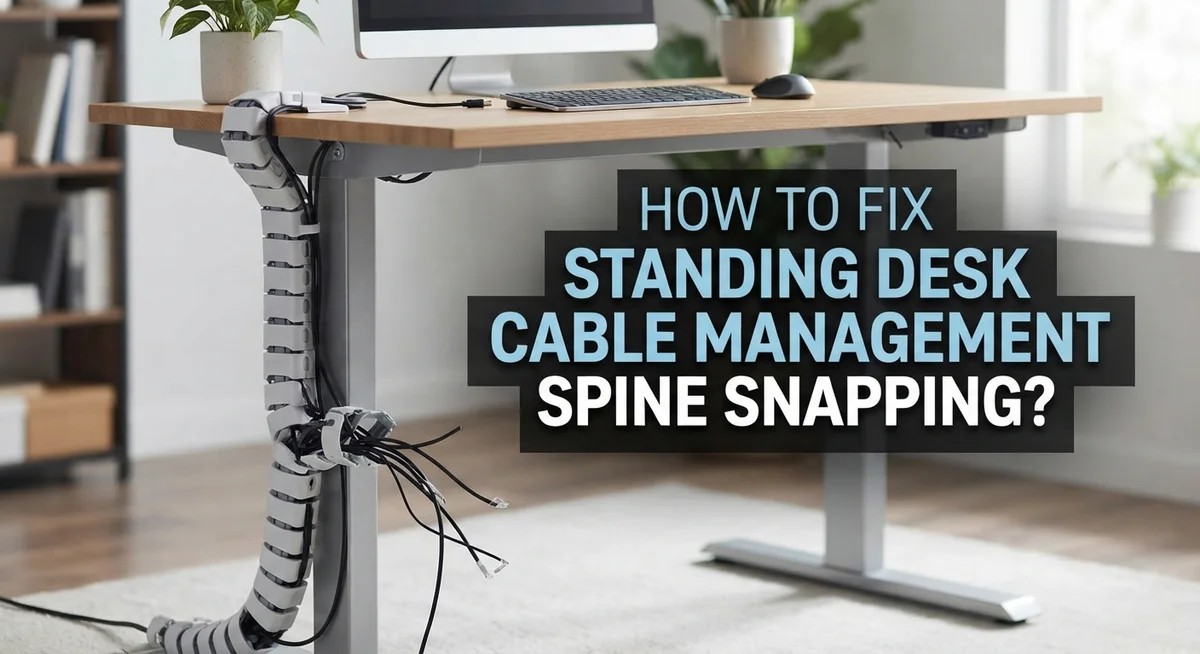
How To Fix Standing Desk Cable Management Spine Snapping?
Standing desks make your workday better. But they also create a hidden problem. Your cable management spine can snap during height adjustments.
This happens more often than you think. Your desk rises and falls every day. The cables inside that spine flex again and again. Over time, they weaken and break.
A snapped spine is not just annoying. It can expose loose wires. It can even damage your devices. The good news is you can fix this problem yourself.
In a Nutshell
- Plan your cable route first. Map out where each cable goes before you attach anything to your desk.
- Mount a power strip under your desk. This creates one single cord to the wall and cuts down on clutter.
- Leave enough slack in every cable. Cables need room to flex when your desk moves up and down.
- Route cables one at a time. This helps you spot problems early and keeps everything organized.
- Use clips or grip tape on the uprights. These tools hold cables in neat, controlled loops without pulling too tight.
- Check your setup at full height and full lowered position. Your cables should move freely at both ends of the range.
Why Cables Snap on Standing Desks
Cables snap on standing desks because they experience constant stress during height adjustments. Every time you raise or lower your desk, the cables bend, stretch, and twist. This repeated movement weakens the cable material over time.
The main culprit is insufficient slack. When cables are too tight, they cannot flex naturally as your desk moves. Instead, they experience tension that pulls on the connectors and internal wires. Eventually, the cable breaks at the connection point or along its length.
Multiple power cords create another problem. If you plug several cables directly into a wall outlet, each one moves independently when your desk adjusts. This causes cables to tangle, cross over each other, and get pinched between the desk and uprights. The tangling motion accelerates wear and tear significantly.
Loose cables without proper routing also snap easily. Cables that dangle freely get caught under the desk frame or trapped in the adjustment mechanism. When you move the desk, these caught cables experience sudden jerking forces that damage the internal conductors.
Temperature changes affect cable durability too. As cables flex repeatedly, they generate heat. Combined with the constant bending motion, this heat makes the outer insulation brittle and more prone to cracking.
Poor cable positioning along the uprights causes strain concentration. If a cable bends sharply at one point instead of gradually curving, that spot bears all the stress. The sharp bend acts like a weak point where the cable eventually fails.
The solution is prevention through proper planning and installation. By consolidating cords, leaving adequate slack, and securing cables with controlled loops, you eliminate most snapping causes. Your cables need room to move freely without tension or tangling. This simple approach keeps your standing desk cables working reliably for years.
Assessing the Damage and Identifying Weak Points
Before you fix your cable problem, you need to see what damage already exists. Start by looking at each cable carefully. Check for visible cracks, fraying, or exposed wires. These are clear signs that a cable is failing and needs replacement soon.
Run your fingers gently along each cable from end to end. Feel for soft spots or areas where the outer coating feels damaged. Pay special attention to spots where cables bend or twist. These high stress areas often show damage first.
Next, identify which cables snap most often. Is it always the power cord? Does your monitor cable fail repeatedly? Understanding the pattern tells you where the real problem lives. Document which cables fail and when they fail during your desk adjustments.
Look at your cable routing path. Follow each cable from your device to the wall outlet. Does the cable stretch too tight at any point? Does it bend at sharp angles? Sharp bends create weak points that break under repeated stress.
Check where cables attach to your desk frame. Are they secured with clips or just loose? Loose cables move around during height changes, which causes extra strain and snapping.
Examine your power strip location too. If it sits on your desktop, cables must stretch further when your desk moves. If it hangs freely, cables experience constant pulling forces.
Look at the uprights on your desk. See where cables currently route along them. Are there gaps where cables could slip and catch? Do cables rub against rough edges or sharp corners?
Finally, test your desk movement while watching the cables. Raise your desk slowly to full height. Watch how each cable moves and bends. Lower it back down. Notice which cables struggle or stretch. This real world test shows you exactly where problems happen.
Step-by-Step Fix: Rerouting and Securing Cables
Start by gathering your materials. You’ll need cable clips, grip tape, or velcro straps to secure cables along the desk frame. Have a flashlight ready to see tight spaces under your desk. Clear away any items blocking access to the uprights.
Begin with your power cable since it carries the most stress. Trace where it currently runs from your power strip to the wall outlet. If it takes a direct path with sharp angles, that’s a problem. Reroute it along the desk uprights instead. This distributes pressure evenly across the cable length.
Mount your power strip to the underside of your desk if you haven’t already. Use the mounting bracket or adhesive strips designed for this purpose. Position it roughly in the center for balanced cable distribution. This single power source eliminates multiple cords competing for space.
Now route each data cable one at a time. Start with your monitor cable, then keyboard, then mouse. Pull each cable gently to find its natural path without forcing it. Leave a generous loop of slack at both the top and bottom of the desk. This slack is critical. It prevents tension when your desk reaches full height or full lowered position.
Secure cables using clips spaced about 12 to 18 inches apart along the uprights. Don’t cinch them too tightly. Your cables should move slightly within the clips as your desk adjusts. This flexibility prevents the snapping that occurs from rigid, immobile cables.
Test your setup by raising and lowering the desk slowly while watching the cables move. They should glide smoothly without pulling or twisting. If any cable shows resistance, loosen its clips slightly. Make small adjustments until everything moves freely throughout the full range of motion. Your goal is smooth, natural cable movement that matches your desk’s vertical travel.
Mounting a Power Strip for a Single Cord Solution
A single power cord to the wall makes cable management much simpler. This approach reduces stress on your cables and prevents the tangling that causes snapping during desk adjustments.
Start by choosing where to mount your power strip. The underside of your desk works best because it keeps the strip out of sight and close to where cables need to go. Make sure the mounting location has enough space for the plug to fit comfortably without bending at sharp angles.
Secure the power strip firmly to your desk using appropriate fasteners. Your strip should not shift or move when the desk raises and lowers. A loose power strip creates slack in your cables, which then tangles during height changes.
Route your main power cable from the strip down one of your desk uprights. Use clips or grip tape to hold it in place along the vertical support. Leave enough slack so the cable can flex naturally as your desk moves. The cable should never go tight during any part of your desk’s range of motion.
Once your power strip is mounted and the main cable is secured, plug all your devices into that single strip. This means your computer, monitor, lamp, and other equipment all draw power from one source. Only one cord needs to reach the wall outlet.
Test your setup by moving the desk to its highest position while watching the power cable. Then lower it all the way down and watch again. The cable should move smoothly without pulling tight or creating loops that could tangle.
This single cord solution dramatically reduces cable stress. Your cables experience less movement overall because everything connects to one mounted point. This setup prevents the repetitive strain that leads to insulation cracks and internal wire damage over time.
Leaving Proper Slack for Full Range of Motion
When your standing desk moves up and down, cables need room to flex without getting yanked tight. Think of slack like a safety buffer. Without it, cables snap under pressure during each adjustment cycle.
Start by measuring your desk’s full range of motion. Most standing desks move between 28 and 48 inches in height. Add an extra 6 to 8 inches of cable length beyond this measurement. This extra space lets cables bend naturally instead of stretching to their limit.
Route your power cable along one desk upright in a gentle loop pattern. The loop should have enough slack that you can pinch it between your fingers when the desk is at its highest point. If you can’t pinch it, add more slack. When the desk lowers, that loop expands and absorbs the movement.
Use clips or grip tape to hold cables in loose spirals along the uprights. Space these clips about 12 to 18 inches apart. The clips guide cables without crushing them. Leave a quarter inch of space between the clip and cable so air can flow and cables can move slightly.
For data cables and USB cords, apply the same principle. Route them alongside your power cable with their own slack loops. Avoid bundling cables too tightly together. Tight bundles restrict movement and create stress points.
Test your setup by raising the desk slowly while watching each cable. Look for any cables that go straight and tight. Those need more slack. Lower the desk and check again. Cables should move smoothly without kinking or pulling.
The goal is simple: cables should never feel tension during desk movement. When you leave proper slack, cables stay flexible and last much longer. This prevents the snapping problem before it starts.
Common Mistakes That Lead to Repeat Snapping
People make several mistakes that cause cables to snap repeatedly on standing desks. Understanding these errors helps you avoid them.
The biggest mistake is routing cables too tightly. Many people pull cables straight from point A to point B without leaving any slack. When your desk rises or falls, tight cables get yanked suddenly. This repeated tension snaps them over time. Cables need room to move and flex naturally as your desk adjusts.
Another common error is using multiple power cords running to your wall outlet. Each cord moves independently during desk adjustments. They tangle around each other and create pressure points. This causes some cables to bend sharply while others get pinched. A single consolidated power cord eliminates this problem entirely.
Loose cables that swing freely during movement also cause snapping. When cables aren’t secured, they flail around as your desk moves. They can wrap around desk components or get caught on uprights. This creates sudden jerks that damage the cable sheath and internal wires.
Poor clip placement is another issue people overlook. Clips spaced too far apart allow cables to sag and create large loops. These loops catch on things during movement. Clips placed too close together prevent cables from flexing naturally. The cable gets pinched between clips instead of flowing smoothly.
Many people also forget to test their setup after making changes. They assume the cables will work fine without actually watching them move. Hidden problem spots only reveal themselves during a full desk cycle from lowest to highest position.
Finally, some people ignore where their power strip sits. A power strip mounted to the wall forces your main cable to stretch and bend constantly. This creates a stress point that fails repeatedly. Mounting your power strip directly to your desk eliminates this strain entirely.
Avoiding these mistakes prevents most cable snapping issues.
Troubleshooting Persistent Cable Strain Issues
When your standing desk cables keep snapping despite your best efforts, the problem usually lies in how you’re managing strain during movement. Let’s identify and fix these persistent issues.
Check your cable routing first. Cables that take the shortest path between two points often get yanked during desk adjustments. Instead, route cables along your desk uprights in gentle loops. This allows them to flex naturally as your desk rises and falls. The cable should never feel tight at any point in your desk’s range of motion.
Inspect your clip placement carefully. Clips positioned too close together restrict cable movement and create stress points. Space your clips further apart to allow cables to move freely. Clips should guide cables, not trap them. If you’re using grip tape, wrap it loosely around cables in spiral patterns rather than tight bands.
Look at your power strip location. If your power strip sits on the floor or hangs from the desk, cables get pulled at odd angles during movement. Mount your power strip directly to your desk’s bottom surface. This keeps the main power cable close to the uprights where it can move safely.
Test your slack measurements. Measure your desk’s full range of motion from lowest to highest position. Your cables need enough slack to accommodate this entire movement without tension. Many people underestimate how much slack they actually need. Add a few extra inches beyond what seems necessary.
Examine your cable connections. Connectors that sit at sharp angles create weak points. Position connectors so cables bend gradually, not abruptly. Loose cables that swing during movement also experience repeated stress and snapping.
Review your device setup. Too many devices create too many cables. Consolidate your equipment onto a single mounted power strip whenever possible. Fewer cables mean fewer failure points and simpler management overall.
Final Thoughts
Fixing cable snapping on your standing desk does not need to be complicated. Most problems come down to two things: not enough slack and poor cable routing.
Once you fix these two issues, your cables should stop snapping for good.
Start with a simple plan. Map out where each cable needs to go before you touch a single clip. This saves you time and prevents mistakes later.
Mount your power strip to the desk itself. This keeps it moving with the desk instead of pulling cables from a fixed floor position.
Route your cables one at a time. Trying to handle everything at once often leads to tangled messes and uneven slack.
Always leave extra room for movement. Your desk moves through its full range every day. Cables need enough flex to follow that motion without pulling tight.
Secure everything with clips or grip tape along the uprights. This keeps cables organized while still allowing them to move naturally.
Test your setup often. Raise and lower your desk slowly after any change. Watch how each cable behaves during the full motion.
If something looks tight or strained, fix it right away. Small adjustments now prevent bigger problems later.
Consolidating your cables to one power source also makes a big difference. Fewer cords running to the wall means less clutter and less stress on each connection point.
This approach works well because it addresses the root cause of cable snapping. Tension and poor support are the real enemies here, not the cables themselves.
With a little patience, you can build a cable system that handles daily desk adjustments without any drama. Your cables will last longer, and you will spend less time on repairs.
A well managed desk setup also looks cleaner and works better every day.
Frequently Asked Questions
Why do cables snap on my standing desk?
Cables snap when they don’t have enough room to move. As your desk rises and falls, cables get pulled tight if they lack slack. Loose cables that swing freely also experience sudden jerks during adjustments. The main culprit is improper routing. When you run cables straight from point A to point B without planning, they bear too much stress.
Multiple power cords to your wall also cause problems. Each cord moves independently, creating tangling and strain. A single consolidated power source reduces this movement significantly.
How much cable slack do I actually need?
You need slack equal to your desk’s full range of motion. Measure from your desk’s lowest position to its highest point. Add that measurement to your cable length, then add a few extra inches for safety.
For example, if your desk moves 12 inches up and down, your cables need at least 12 inches of flex room. Many people underestimate this and create unnecessary tension.
Should my power strip sit on the desk or the floor?
Mount your power strip directly to the desk bottom. This is the best approach because the strip moves with your desk. When power strips sit on the floor or hang from cables, they pull your cords downward during adjustments.
A desk mounted power strip means your main power cable runs along the uprights with controlled slack. This setup keeps everything moving together smoothly.
What’s the best way to secure cables without creating stress points?
Use clips or grip tape to create gentle loops along your desk uprights. Space them evenly so cables can flex naturally. Clips positioned too close together restrict movement and cause strain.
Leave enough space between clips for the cable to curve comfortably. Think of it like a wave, not a straight line. Test your setup by adjusting your desk through its full range. If anything looks tight, adjust your clip placement.

Hi, I’m Sonny Dawson, the creator and voice behind ConvertResizeGen. 👋 I’m a passionate tech enthusiast who loves exploring the latest gadgets, devices, and electronics that shape the way we live and work. Through my website, I share honest, hands-on reviews of trending Amazon products to help you make smarter buying decisions.