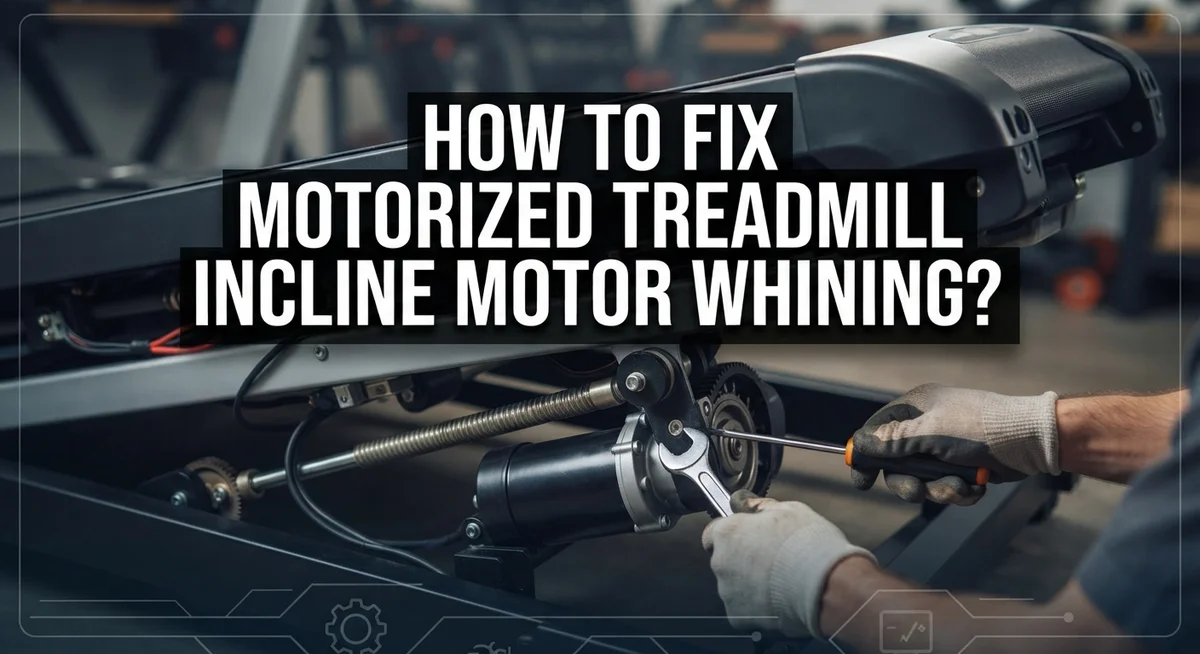
How To Fix Motorized Treadmill Incline Motor Whining?
Does your treadmill make a strange whining sound when you adjust the incline? You are not alone. This is one of the most common complaints among treadmill owners.
That whining noise usually points to a few common culprits. It could be a worn motor belt, a misaligned part, or a motor working too hard under load.
The good news is that you don’t need to be an expert to fix this. Many causes are simple mechanical issues you can spot with your own eyes.
In a Nutshell
- Power down first. Remove the safety key and switch off the rear power. Unplug the unit for 60 seconds so the capacitors fully discharge.
- Check the connectors. Open the motor hood and look for burnt pins or corrosion. Loose plugs often cause the motor to malfunction and whine.
- Inspect the gear and shaft. Dust and debris can build up around the incline motor gear. Clean this area gently without damaging the parts.
- Test the motor. Use a multimeter to check the motor resistance. This step tells you if the motor is working under a normal load.
- Align and lubricate the belt. Look at the belt visually to see if it sits centered. Adjust the screws in half turn increments only, and lubricate the deck to reduce friction.
- Reset the console. If the treadmill gets stuck, hold the stop button for 10 seconds. This simple reset often clears console errors that cause noise.
What Causes Incline Motor Whining
The whining sound from your treadmill’s incline motor happens for specific reasons. Understanding these causes helps you fix the problem faster.
Motor belt wear is one of the most common culprits. Over time, the belt that drives the incline system loses grip and starts to slip. When the belt slips, friction increases and creates that high pitched whine you hear. This happens especially when you change speeds or adjust the incline angle.
Misalignment issues also cause whining. If the motor belt sits off center, it rubs against the pulley edges instead of running smoothly. The belt gets stressed and produces noise. Dust and debris can push the belt out of position over time.
Motor connector problems create whining too. Burnt pins, corrosion, or loose plugs force the motor to work harder than normal. When electrical connections weaken, the motor struggles to receive full power. This strain produces that annoying humming or whining sound.
Motor overload is another factor. The incline mechanism puts heavy demands on the motor during adjustments. If the motor gear has debris stuck in it, the motor fights against the resistance. This creates strain and noise.
Lubrication problems make whining worse. A dry incline motor and deck create friction. The motor has to push harder to move the incline platform up and down. This extra effort generates noise.
Capacitor discharge issues can also play a role. When power remains trapped in the console, the motor receives inconsistent electrical signals. The motor responds with whining sounds during operation.
Most whining problems combine two or three of these causes. That’s why a complete inspection catches the real issue quickly.
Safety Precautions Before You Start
Before you start working on your treadmill’s incline motor, safety must come first. Never skip these steps because the motor contains electrical power that can hurt you.
Start by removing the safety key from the console. This key prevents the treadmill from running while you work. Next, switch off the rear power button located on the back of the unit. This stops the main power supply to the machine.
Wait for 60 seconds after turning off the power. During this time, the capacitors inside the motor discharge completely. Capacitors store electrical energy even after power shuts down. Waiting gives them time to release this stored energy safely.
Unplug the treadmill from the wall outlet. This extra step removes all electrical connection to the unit. Do not skip this part because it adds another layer of protection.
Let the motor cool down for at least 15 minutes. The motor gets hot during use, and touching hot components causes burns. Give it time to reach room temperature before you touch anything inside.
Wear safety glasses to protect your eyes from dust and debris. Dust particles can fly up when you open the motor hood. Glasses keep your eyes safe from these particles.
Keep your hands dry and wear rubber gloves if possible. Dry hands and gloves reduce electrical shock risk. Moisture conducts electricity, so staying dry matters.
Work in a well lit area so you can see all the parts clearly. Poor lighting causes mistakes that lead to injuries. Use a flashlight or work lamp to illuminate the motor compartment.
Keep children and pets away from your work area. The treadmill contains moving parts and electrical components that can injure them. Create a safe zone around your workspace.
Step-by-Step: Inspecting and Fixing the Incline Motor
Start by removing the safety key and turning off the rear power switch. Unplug your treadmill from the wall outlet. Wait 60 seconds to let capacitors discharge completely. This step protects you from electrical shock.
Next, locate the motor hood on your treadmill. Remove it carefully to access the incline motor and its connectors. Look closely at all connector pins. Burnt pins or corrosion indicates a connection problem. Clean any corrosion gently with a dry cloth. Ensure all plugs sit firmly in their sockets.
Inspect the incline motor gear and drive shaft for dust buildup. Debris reduces motor efficiency and causes whining. Use a soft brush to remove dust without damaging components. Do not use water or liquid cleaners near electrical parts.
Grab a multimeter to test motor resistance. Set it to the ohms setting. Touch the probes to the motor terminals. A reading of zero or infinity means the motor has failed. Normal readings show the motor is functional.
Check the motor belt visually. The belt should sit centered and show no cracks. If the belt looks misaligned, locate the adjustment screws. Turn each screw in half turn increments only. Over tightening causes more problems. Retest the motor after each adjustment.
Apply lubricant to the incline motor and deck according to your manual. Proper lubrication reduces friction and motor strain. Wipe away excess lubricant with a clean cloth.
Finally, plug the treadmill back in. Press the power button and listen for changes. The whining should reduce significantly. If noise continues, the motor may need replacement by a professional technician.
Testing Motor Resistance and Connectors
Testing your motor resistance tells you if the electrical connections work properly. A multimeter is the tool you need for this job. This simple test shows whether power flows through the motor correctly.
Before you start, make sure the treadmill is unplugged. This step keeps you safe from electrical shock. Wait at least 60 seconds after unplugging to let the capacitors discharge completely.
Set your multimeter to the resistance setting. The dial should show ohms, which measure electrical resistance. Check your treadmill manual for the correct resistance range for your specific incline motor model.
Place one multimeter probe on each motor terminal. Hold them firmly against the metal contacts. The reading should fall within the normal range listed in your manual. If the reading shows zero or infinity, the motor has an internal problem.
Connector testing is equally important. Look closely at where wires connect to the motor. Push each connector firmly to ensure it seats completely. Loose connections cause whining and motor failure.
Check for burnt or discolored pins inside the connectors. Corrosion appears as green or white crusty buildup. If you see damage, the connector needs replacement.
Wiggle the wires gently while watching the multimeter reading. Any sudden changes mean a bad connection point. Stable readings indicate solid electrical contact.
Test both the positive and negative terminals. Compare your readings to the manufacturer’s specifications. Normal resistance typically ranges from 2 to 20 ohms, though this varies by motor type.
If resistance readings are abnormal, the motor likely needs professional service or replacement. Proper testing prevents you from wasting time on other fixes when the motor itself has failed.
Belt Alignment and Adjustment Techniques
A misaligned belt creates friction that causes your incline motor to work harder than necessary. This extra strain produces the whining sound you hear. Proper belt alignment reduces motor load and eliminates much of the noise.
Start by locating the belt adjustment screws on your treadmill. These screws sit at the rear of the machine, typically on both sides of the motor area. You’ll find them underneath the motor hood after you remove it.
Check belt position visually first. The belt should run centered between the two rollers without touching either edge. If the belt drifts toward one side, you need to make adjustments.
Turn the adjustment screws in small increments. Use half turn adjustments only, never full rotations. Tighten the screw on the side where the belt is drifting. This pulls the belt back toward center.
After each adjustment, run the treadmill at low speed for 30 seconds. Watch the belt movement carefully. Stop and make another half turn adjustment if needed. Repeat this process until the belt stays centered.
Avoid over tightening. Excessive tension damages the motor bearings and makes whining worse. The belt should move freely without rubbing against the frame.
Check alignment on both the flat surface and during incline adjustments. The belt may shift differently when the deck tilts. Test at various incline levels to ensure consistent centering.
If whining continues after proper alignment, the motor belt itself may have cracks or wear. Inspect the belt surface closely under good lighting. Look for fraying, cracks, or hardened rubber. These signs indicate the belt needs replacement rather than adjustment.
Lubrication and Maintenance Best Practices
Proper lubrication keeps your incline motor running smoothly and reduces whining sounds. Dust and debris accumulate inside the motor housing over time. This buildup forces the motor to work harder, which creates strain and noise.
Start by unplugging your treadmill for 60 seconds. This discharge step protects you from electrical shock. Remove the motor hood carefully so you can see all internal parts. Use a dry cloth or soft brush to gently remove dust from the motor without damaging any components.
Check your treadmill manual for specific lubrication points. Most incline motors need light oil applied to the gear mechanisms and drive shaft. Apply lubricant sparingly. Too much oil attracts dust and makes problems worse. A small amount goes a long way in reducing friction and noise.
The deck also needs regular maintenance. Friction between the belt and deck increases motor load. Apply deck lubricant according to your manual’s recommendations. This reduces the workload on your incline motor significantly.
Clean motor connectors regularly to prevent corrosion. Corrosion causes poor electrical contact, which makes the motor work harder and whine. Use a dry cloth to wipe connector pins. Look for burnt or discolored areas that indicate electrical problems.
Establish a maintenance schedule. Clean your treadmill every month if used daily. Lubricate the deck and motor every three months. This preventive approach stops whining before it starts.
Never use excessive lubricant or harsh chemicals. These damage rubber components and electrical connections. Stick to products your manual recommends. Regular, gentle maintenance keeps your incline motor quiet and extends its lifespan significantly.
Common Mistakes That Worsen the Problem
Ignoring early warning signs is your first major mistake. A slight whining noise today becomes a loud grinding sound tomorrow. Many people hope the noise disappears on its own. It rarely does. The motor works harder each day, causing more damage.
Over tightening adjustment screws is extremely common. People think tighter means better, but this damages motor bearings. Use half turn increments only. Check the alignment after each small adjustment. Stop when the belt runs centered. Excessive tension makes whining much worse, not better.
Skipping the power reset step creates ongoing problems. Your treadmill console stores error codes that affect motor performance. Hold the stop button for 10 seconds to clear these codes. Then unplug the unit for 60 seconds. This discharge step resets the entire system properly.
Applying too much lubricant causes serious issues. Excess lubricant attracts dust and debris. The motor then works harder to move through sticky buildup. Use only the amount specified in your manual. Less is better than more in this case.
Failing to clean connector corrosion wastes your time and money. Burnt or discolored pins prevent electricity from flowing correctly. The motor struggles under poor electrical conditions. Clean connectors with a dry cloth regularly. Replace severely corroded connectors before they fail completely.
Rushing through inspection steps leads to missed problems. Take your time checking every connection point. Look for loose plugs, burnt marks, and debris around the motor. A thorough inspection catches small issues before they become expensive repairs. Speed causes you to miss what actually caused the whining.
When to Seek Professional Repair
Knowing when to call a professional saves you time and money. Stop DIY troubleshooting if you see burnt or melted plastic inside the motor housing. This damage means electrical failure occurred, and amateur repairs create safety hazards.
Professional help is necessary when the motor makes grinding sounds instead of whining. Grinding indicates internal gear damage. The gears inside the motor have worn down or broken teeth. Replacement is your only real option here.
Call a technician if the motor doesn’t respond at all to power. You’ve already unplugged the unit, waited 60 seconds, and reset the console. The motor still won’t turn or engage. This points to a failed motor or broken control board.
Seek professional service if you detect a burning smell from the motor area. This smell means the motor is overheating. Electrical shorts or severe friction is causing dangerous temperatures. Running the treadmill further risks fire or electrocution.
You should also get professional help if the incline gets stuck in one position. The motor runs but the incline platform won’t move up or down. This suggests a broken drive shaft or damaged gears inside the motor assembly.
Consider professional repair when multimeter testing shows zero resistance or infinite resistance readings. These abnormal readings mean internal motor failure. The windings inside are either shorted or completely open.
Finally, professional repair makes sense if whining persists after you’ve cleaned connectors, checked belt alignment, and lubricated the motor properly. You’ve done all the basic fixes. The problem still exists. At this point, the motor itself has likely failed and needs replacement or professional rewinding.
Final Thoughts
Fixing a whining incline motor does not need to feel impossible. Most causes come down to simple issues. Loose belts, dirty connectors, and poor lubrication top the list.
You now have a clear path forward. Start with the easy checks first. Unplug your treadmill and inspect the motor area.
Look for visible problems like dust buildup or belt misalignment. These small issues often cause big noise problems.
Test your motor systematically rather than guessing. Check resistance with a multimeter. Inspect the drive shaft for debris. Center the belt and adjust screws carefully.
Remember that half turn increments matter here. Rushing this step damages your motor further.
Regular maintenance prevents future whining too. Clean your connectors every few months. Lubricate moving parts based on your manual guidelines.
A little upkeep now saves bigger headaches later.
Sometimes the fix stays simple. A power reset clears many console errors. A belt adjustment solves alignment troubles. Corrosion cleaning restores proper electrical contact.
Other times, the problem runs deeper. Grinding sounds, burning smells, and unresponsive motors signal serious trouble. These situations need professional attention right away.
Trust your instincts if something feels wrong. Your treadmill gives you warning signs before bigger failures happen. Listen to those signs early.
Do not ignore small whining sounds hoping they disappear. They rarely do without action on your part.
Take these steps one at a time. Check connectors first. Test belt alignment next. Apply lubrication properly. Reset your system if needed.
Your incline motor deserves attention just like any other treadmill part. With patience and the right approach, you can quiet that whining noise and get back to smooth, quiet workouts again.
Frequently Asked Questions
Why does my incline motor whine during speed changes?
The motor works harder when you adjust speed or incline. This extra load causes the belt inside the motor to slip slightly. Whining happens because friction increases during these transitions. The sound usually stops once the adjustment finishes.
Check if the noise gets louder over time. If it does, your motor belt may be wearing out. Clean dust from the motor vents first. Dust buildup makes the motor work even harder.
Can I fix a whining incline motor myself?
Yes, many fixes are simple enough for home repair. Start by unplugging your treadmill and waiting 60 seconds. This discharges the electrical system safely.
Next, remove the motor hood and inspect the connectors. Look for burnt pins, corrosion, or loose plugs. Clean corroded connectors gently with a dry cloth. Tighten any loose connections firmly but carefully.
Check the motor belt for visible cracks or looseness. Proper lubrication reduces friction and noise in many cases. Apply lubricant sparingly to the incline motor and deck.
What does it mean if whining persists after cleaning?
Persistent whining suggests deeper issues. Your motor belt alignment might be off center. Visually inspect the belt path through the motor housing.
If the belt looks misaligned, adjust the mounting screws in half turn increments only. Never over tighten these screws. Test after each small adjustment.
If whining continues, the motor itself may have internal wear. A multimeter can test the motor’s electrical resistance. Zero or infinite resistance readings mean the motor needs replacement.
Should I keep using my treadmill with a whining motor?
Short term use is usually safe. However, continued use accelerates motor damage. The whining indicates stress on internal components.
Stop using the treadmill if whining becomes loud or grinding sounds develop. Grinding means internal gears are failing. This requires professional service immediately.

Hi, I’m Sonny Dawson, the creator and voice behind ConvertResizeGen. 👋 I’m a passionate tech enthusiast who loves exploring the latest gadgets, devices, and electronics that shape the way we live and work. Through my website, I share honest, hands-on reviews of trending Amazon products to help you make smarter buying decisions.