How To Fix Bone Conduction Headphones Vibrating Too Much At High Volume?
Bone conduction headphones feel amazing until you crank up the volume and your cheekbones start buzzing like a phone on silent. That tickling, itching, and sometimes numbing vibration can ruin a good workout or a focused work session.
The good news? You can fix it. Most vibration issues come from poor fit, wrong placement, or simply pushing the volume past what bone conduction technology was built to handle.
This guide walks you through every practical fix, from quick adjustments to long term habits. You will learn how to position your headphones correctly, manage volume smartly, and pick the right audio settings to keep the buzz down.
In a Nutshell
- Keep volume below 70 to 80 percent. Bone conduction transducers vibrate harder as volume climbs. Most discomfort starts above this threshold, so staying just below it solves half the problem instantly.
- Position the transducers correctly. The small pads must sit on the bone in front of your ear, not on soft tissue. Wrong placement forces you to raise the volume, which increases vibration.
- Check the headband tension. A loose headband makes the pads rattle against your skin. A too tight headband presses them too hard and amplifies the buzz. Find the middle ground.
- Adjust your EQ settings. Lowering bass frequencies through the app reduces low end vibration the most. Bass is the main cause of that buzzing feeling on your skull.
- Use silicone sleeves or covers. These soft accessories cushion the transducers and absorb part of the vibration before it reaches your skin.
- Take listening breaks. Your skin and nerves get sensitized after long sessions. Short breaks every 45 minutes reset your tolerance and reduce the tickle.
Understand Why Bone Conduction Headphones Vibrate
Bone conduction headphones work by sending sound waves through your cheekbones directly to your inner ear. The small transducers on each side create tiny vibrations that your skull turns into sound. That is the whole point of the technology.
But these vibrations become stronger as the volume rises. At high volumes, the transducers push harder against your skin, and you start to feel the sound instead of just hearing it. This is normal physics, not a defect.
Knowing this helps you set realistic expectations. You cannot completely remove the vibration, but you can reduce it to a comfortable level with smart adjustments. Bass heavy tracks vibrate the most because low frequencies need more energy to travel through bone.
Lower the Volume to a Safer Listening Level
The simplest fix is also the most effective. Bone conduction headphones vibrate more aggressively past 70 to 80 percent volume. Drop your level just below that mark and the buzz often disappears entirely.
Try listening at 50 to 65 percent in quiet rooms, and only push higher when you are outdoors or in noisy gyms. Most modern bone conduction headphones also have a volume limiter feature in their companion app. Turn it on if you struggle to control yourself.
Pros: Instant relief, no extra gear needed, also protects your hearing.
Cons: You lose some loudness in noisy places, which can make voices in podcasts harder to follow.
Lowering volume is the single most powerful fix because vibration scales directly with audio power.
Reposition the Transducers on Your Cheekbone
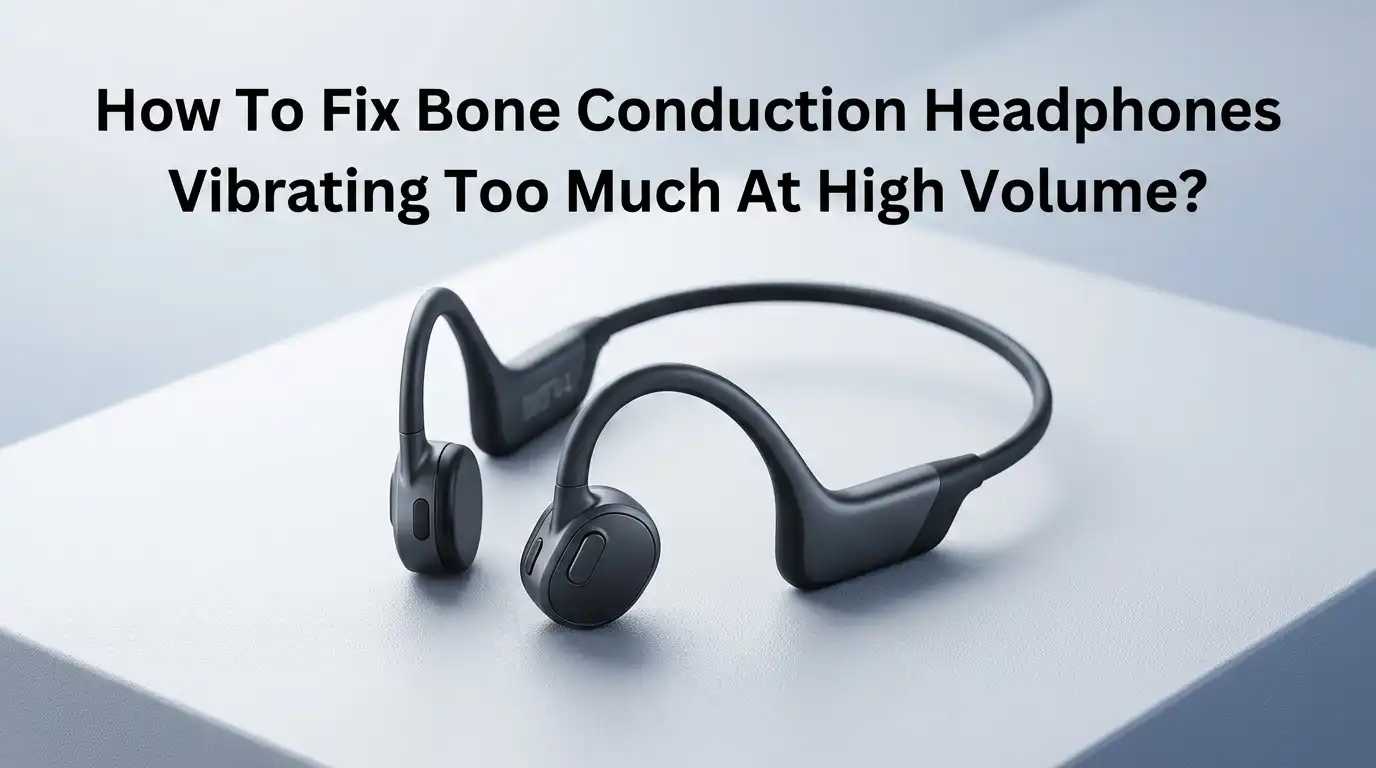
Many people wear bone conduction headphones in the wrong spot. The small pads must rest on the hard bone just in front of your ear, not on the soft skin near your temple or jaw muscle.
Place two fingers in front of your ear and feel for the firm bony ridge. That is the zygomatic arch, and it is your target zone. When the pads sit on this bone, sound travels efficiently, so you do not need to crank the volume.
Pros: Better sound clarity, lower volume needed, less skin tickle.
Cons: Takes a few tries to find the perfect spot, may require minor adjustments throughout the day.
A correct fit can reduce perceived vibration by half because less energy is wasted on soft tissue.
Adjust the Headband Tension Properly
A loose headband causes the transducers to bounce against your skin, which feels like extra vibration. A headband that is too tight presses the pads in too hard, which transmits even more buzz into your bones.
You want gentle, even contact. The headphones should stay in place when you shake your head, but you should not feel pressure marks after wearing them for an hour. Some bands can be carefully bent to adjust the curve, but check your manufacturer instructions first.
Pros: Better comfort, balanced vibration, more secure fit during exercise.
Cons: Bending a non flexible band can damage it, and reshaping takes patience.
A properly tensioned headband keeps the transducers in their sweet spot without amplifying the vibration into your skull.
Tweak the EQ Settings to Cut Bass
Bass frequencies are the main cause of strong vibration. Low end sound waves carry more physical energy, so they shake your bones harder. Reducing bass in your equalizer settings makes a huge difference.
Open your phone music app or the headphone companion app and find the EQ section. Pull the low frequency sliders (anything under 200 Hz) down by 3 to 6 dB. You can also try preset modes like Vocal or Treble Boost which naturally reduce bass.
Pros: Less vibration without lowering volume, better speech clarity, longer comfortable listening time.
Cons: Music can sound thinner, bass lovers may dislike the change.
Most bone conduction headphones already have weak bass by design, so cutting more rarely hurts the experience much.
Use Silicone Covers or Soft Sleeves
Several brands sell small silicone covers that slip over the transducer pads. These accessories absorb part of the vibration before it reaches your skin, which removes most of the tickling feeling.
Even a thin layer of soft material between the pad and your cheekbone makes a noticeable difference. You can find official covers from brands like Shokz, or generic third party versions for most popular models. Some users even cut small pieces from a clean silicone wristband as a DIY solution.
Pros: Cheap fix, easy to install, washable, reduces skin irritation.
Cons: Slightly muffles sound clarity, may require higher volume which partly defeats the purpose if used wrong.
Choose thin covers (under 1 mm) to balance vibration reduction with sound quality.
Take Regular Listening Breaks
Your skin and the nerves on your cheekbone get sensitized after long listening sessions. What felt fine in the first 30 minutes can feel maddening after two hours, even at the same volume.
Take a short break every 45 to 60 minutes. Slip the headphones off, let your skin breathe, and give your bones a rest. This habit also protects your hearing and prevents headaches that come from continuous vibration.
Pros: Resets your sensitivity, prevents headaches, healthier for ears.
Cons: Interrupts focus, may not suit long meetings or commutes.
Think of breaks like blinking your eyes. Small pauses keep things comfortable, while non stop use eventually causes irritation.
Update Your Headphone Firmware
Manufacturers often release firmware updates that improve vibration management and audio tuning. Newer firmware can adjust how the transducers handle bass and high volumes, which directly impacts the buzzing.
Open your headphone companion app, connect your device, and check for updates. Shokz, Naenia, and other brands push updates every few months. Updates are free and usually take only a few minutes to install.
Pros: Free fix, may improve sound quality and battery life too, no physical changes needed.
Cons: Some updates change features you liked, and the process can fail if your battery is low.
Always update with at least 50 percent battery to avoid interrupting the install, which could brick your device.
Switch to Vocal Heavy Content at High Volumes
If you must listen loudly, pick audio content that does not rely on heavy bass. Podcasts, audiobooks, news, and acoustic music vibrate far less than EDM, hip hop, or movie soundtracks.
Vocal heavy content sits mostly in the mid frequency range, which bone conduction handles smoothly. You can crank the volume higher without feeling the buzz because there is less low end energy to shake your skull.
Pros: Lets you enjoy loud listening without discomfort, great for commutes and gyms.
Cons: Limits your music choices, may not suit your mood.
Save bass heavy playlists for lower volume sessions or switch to traditional headphones when you really want to feel the beat.
Clean the Transducers and Your Skin
Dirt, sweat, and oil build up on the transducer pads over time. This residue can change how vibrations transfer into your skin and sometimes makes the buzz feel worse or itchier than it should.
Wipe the pads with a soft, slightly damp microfiber cloth every few days. Avoid harsh chemicals or alcohol unless the manufacturer allows it. Also wash your face before long sessions, since oily skin amplifies the tickling sensation.
Pros: Free, improves hygiene, extends the headphone lifespan.
Cons: Adds a small maintenance step to your routine.
Clean pads provide direct, consistent contact with your bone, which means lower volume works just as well as higher volume used to.
Try Wearing Them Higher or Lower on Your Face
The default position works for most people, but face shapes vary. If you still feel too much vibration after all other fixes, experiment with slight position changes. Move the pads up closer to your temple or down toward your jaw.
Some users find that placing the transducers slightly higher on the cheekbone reduces the buzz because the bone is denser there. Others prefer them lower where the skin has more padding. Try both during quiet listening sessions to see what works.
Pros: Custom fit for your face shape, no extra gear needed.
Cons: May reduce sound quality if you stray too far from the optimal zone.
Small position changes can deliver big comfort improvements when standard placement does not work.
Consider a Different Model or Brand
If you have tried everything and still feel uncomfortable, your specific model may not match your face shape or sensitivity. Some headphones use gentler transducers than others, and newer models often handle vibration better than older ones.
Brands like Shokz with their DualPitch technology assign low frequencies to a tiny air conduction speaker, which removes the bass vibration from your bones. Other newer models from competitors use similar hybrid approaches.
Pros: Long term comfort, better sound quality, often improved battery life.
Cons: Costs money, requires research, and you may need to return the new pair if it does not fit either.
Read reviews from people with similar concerns before buying, and look for return policies that let you test the fit.
Know When to Stop Using Bone Conduction
Some people simply do not get along with bone conduction technology. If you feel persistent headaches, dizziness, or jaw pain even at low volumes, your body may be more sensitive than average.
In these cases, switch to traditional open ear headphones or earbuds with a transparent mode. You still get awareness of your surroundings without the skull vibration. There is no shame in this. Bone conduction is a niche technology, not a universal solution.
Pros: Removes discomfort entirely, gives access to better sound quality options.
Cons: You lose the unique benefits of bone conduction like keeping ear canals open.
Listen to your body. Persistent discomfort is a signal worth respecting, not pushing through.
Frequently Asked Questions
Why do my bone conduction headphones tickle my cheeks?
The tickling sensation comes from the small vibrations the transducers send into your skin. At higher volumes or with bass heavy music, the vibrations get stronger and feel like tickling. Lowering the volume, repositioning the pads, or using silicone covers usually fixes the issue within minutes.
Can high volume on bone conduction headphones damage my hearing?
Yes, prolonged exposure to high volumes can still harm your hearing even though sound bypasses your eardrum. The inner ear cochlea receives the same energy levels and can suffer damage just like with regular headphones. Keep volume below 80 percent and take regular breaks to stay safe.
Are bone conduction headphones supposed to vibrate?
Yes, vibration is how they work. Some level of vibration is always present and normal. What you want to avoid is excessive vibration that causes discomfort, tickling, or headaches. The fixes in this guide reduce vibration to a comfortable, barely noticeable level.
Does bass make bone conduction headphones vibrate more?
Absolutely. Low frequency sounds need more physical energy to travel through bone, so bass heavy tracks create stronger vibrations. Reducing bass through your EQ settings or choosing vocal heavy content significantly cuts down the buzz without lowering overall volume.
Will silicone covers reduce sound quality?
Thin silicone covers cause only a slight reduction in clarity and bass response. Most users find the comfort improvement worth the small audio tradeoff. Stick to covers under 1 mm thick for the best balance between vibration reduction and sound quality.
How tight should bone conduction headphones fit?
They should feel snug but not pressing. You should be able to shake your head gently without them moving, but you should not feel pressure marks on your cheeks after wearing them for an hour. A balanced fit is key to controlling vibration.
Can firmware updates really reduce vibration?
Yes, manufacturers often improve audio tuning and transducer behavior through firmware updates. These updates can change how the headphones handle bass and high volumes, which directly affects vibration. Check your companion app every few months for available updates.

Hi, I’m Sonny Dawson, the creator and voice behind ConvertResizeGen. 👋 I’m a passionate tech enthusiast who loves exploring the latest gadgets, devices, and electronics that shape the way we live and work. Through my website, I share honest, hands-on reviews of trending Amazon products to help you make smarter buying decisions.